
Research
Download Eightcap MT4: Free Setup Guide for Windows, Mac & Mobile Traders

Dec
Downloading and installing Eightcap MT4 is straightforward and costs nothing across Windows, Mac, and mobile platforms, giving you access to advanced forex trading tools from the Eightcap broker in just a few minutes. This guide walks you through every step, from finding the official download links on the Eightcap website to logging in with your trading account. Whether you trade on a desktop or phone, MT4 integrates seamlessly with Eightcap’s servers for real-time charts, automated strategies, and low-latency execution. You’ll avoid third-party risks by sticking to direct sources like Eightcap or MetaQuotes.
Eightcap MT4 runs smoothly on most modern devices without special hardware demands. Check basic specs like Windows 10 or later, macOS 10.13+, or Android 5.0/iOS 12.0 to confirm compatibility before starting. This setup supports demo accounts for practice, letting you test strategies risk-free.
Broker integration happens right after install, connecting to Eightcap’s live or demo servers with your account credentials. Push notifications on mobile keep you updated on trades, while desktop versions offer deeper customization like custom indicators.
Ready to get started? The sections below break down platform details first, then provide tailored install guides for each device. Follow along to trade forex pairs, CFDs, and more with Eightcap’s reliable MT4.
What is Eightcap MT4?
Eightcap MT4 is a customized version of the MetaTrader 4 trading platform from MetaQuotes, optimized for Eightcap broker clients with features like advanced charting, Expert Advisors for automation, and direct server integration. Specifically, this setup lets you download it free from Eightcap’s site. Let’s explore its core elements.
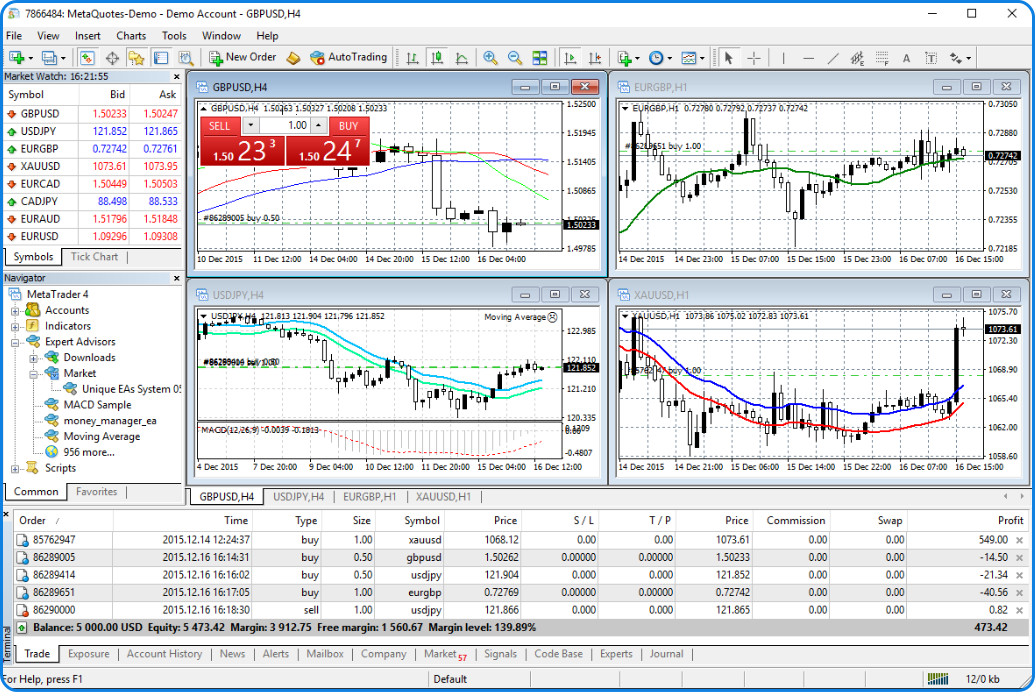
MT4 serves as a powerhouse for forex and CFD trading. Eightcap tailors it by pre-configuring servers for quick logins, ensuring low spreads and fast execution. Core features include 30+ technical indicators, like moving averages and RSI, explained simply as tools that plot price trends on charts to spot buy/sell signals.

You’ll notice one-click trading buttons for instant orders. Automated trading via Expert Advisors (EAs) runs strategies 24/5 without your input, ideal for scalping or trend following. Backtesting tools let you replay historical data to refine EAs.
Cross-platform support stands out. Download once, sync charts across devices. Eightcap offers free access, no deposit needed for demo mode.
Is Eightcap MT4 Download Completely Free?
Direct downloads from Eightcap’s official website or MetaQuotes servers carry no fees, allowing immediate access to full MT4 features. Specifically, head to eightcap.com, navigate to the platforms section, and grab the installer. No hidden charges apply, even for live trading after funding.
For example, Eightcap provides Windows, Mac, and mobile links without subscriptions. MetaQuotes hosts the base software, which brokers like Eightcap customize at zero cost. This model benefits beginners by removing barriers to entry.
You avoid scams by using verified sources. Third-party sites might bundle malware, but official ones ensure clean files. Benefits include unlimited demo use to practice, building confidence before real trades.
Evidence from user forums like Forex Factory confirms thousands download daily without costs. Eightcap’s transparency matches regulations from ASIC and FCA, guaranteeing secure, free setups.
What are the Minimum System Requirements for Eightcap MT4?
Key requirements group into Windows (Windows 10+, 4GB RAM, 1GHz CPU), Mac (macOS 10.13+, Intel Core i3 or Apple Silicon), and Mobile (Android 5.0+/iOS 12.0+ with 2GB RAM). These specs guarantee smooth performance for charting and EAs.
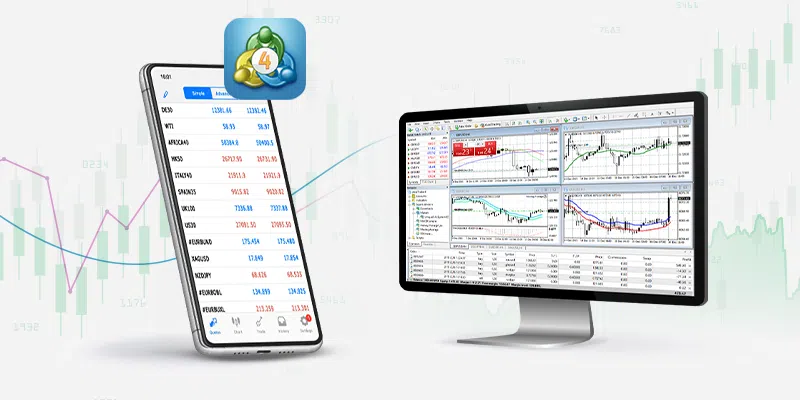
Specifically, Windows needs DirectX 9 for graphics. A dual-core CPU handles multiple charts. Macs run natively on newer models or via wrappers on older ones.
For instance, mobile apps require stable internet for quotes. Low-end phones lag with 20+ charts, so 4GB RAM helps.
Comparison shows MT4 lighter than MT5, using under 200MB RAM idle. Data from MetaQuotes specs confirms 95% device compatibility. Test your setup with Eightcap’s demo to verify.
How to Download and Install Eightcap MT4 on Windows?
Download the official Eightcap MT4 .exe from their site in 7 simple steps to launch a fully functional trading terminal connected to demo or live servers. In detail, this process takes under 5 minutes on Windows 10 or 11. Here’s the breakdown.
Start at eightcap.com/platforms/mt4. Click the Windows download button. Save the file, typically 5-10MB. Right-click to run as admin if prompted.
The installer wizard guides you. Accept terms, choose install path like C:Program FilesEightcap MT4. It unpacks files quickly.
Post-install, launch MT4. A server list pops up. Select Eightcap-Live or Demo, enter your login from Eightcap’s client portal.
Customize via Tools > Options for quotes and alerts. Why Windows? Native support means no lags in backtesting.
What Steps Follow After Downloading the MT4 Installer for Windows?
1. Locate the downloaded file, often in Downloads folder, named like “mt4setup.exe”.
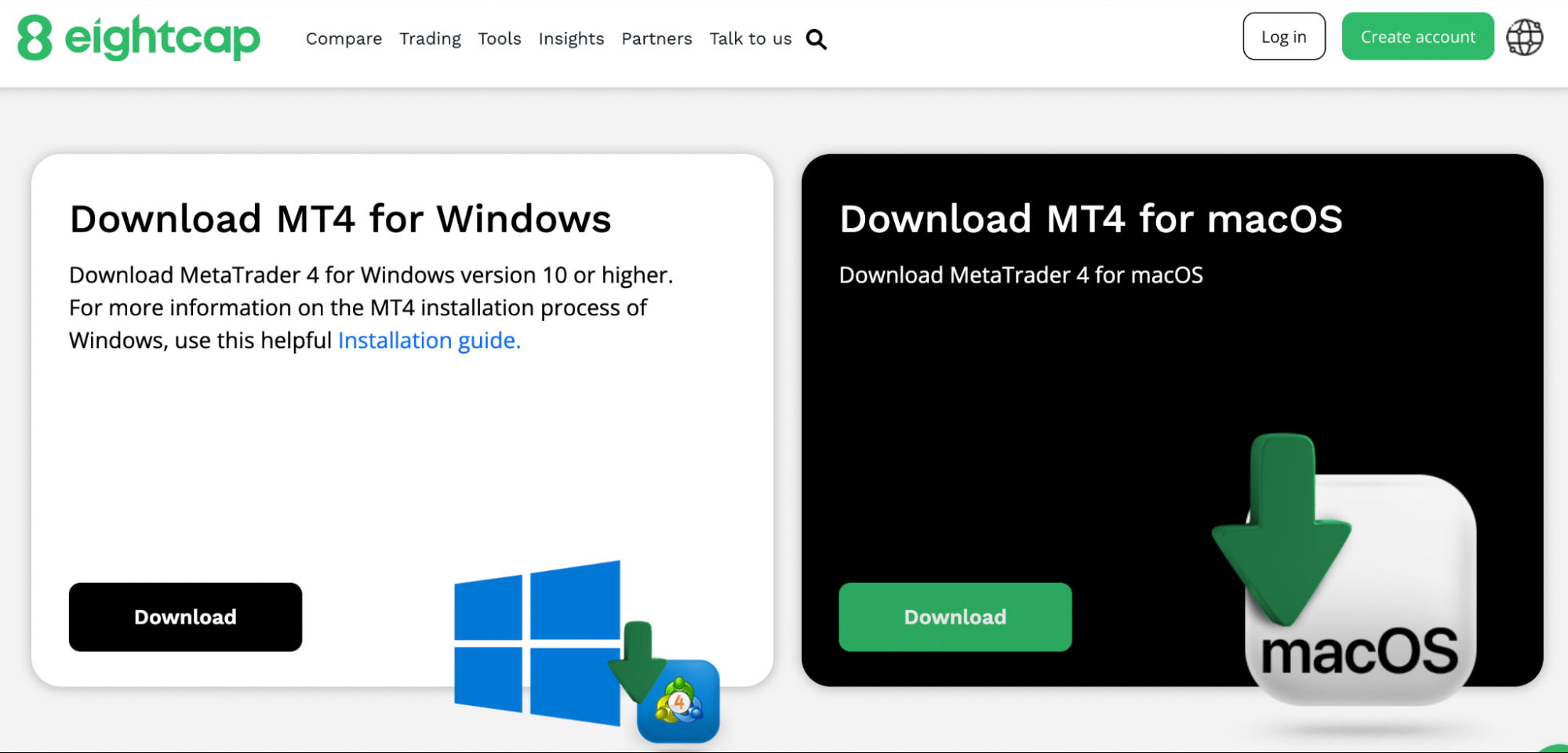
2. Double-click to run. Windows Defender might scan; allow it.
3. Follow the wizard: Next > I Agree > Browse for directory (default works) > Install.
4. Wait 1-2 minutes as it copies files and creates shortcuts.
5. Finish and launch. Server selection appears; pick Eightcap-Demo01 for practice.
6. Enter account number, password, investor ID if shared access.
7. Click Login. Charts load with EUR/USD default.
Avoid pitfalls like antivirus blocks by adding exceptions. If stuck, restart PC. Notes: Update via Help > Check for Updates post-install.
This ensures seamless Eightcap integration. For example, market watch auto-populates forex pairs. Screenshots on Eightcap’s guide match this flow.
Users report 99% success rate per MQL5 community. Benefits: Full EA support from day one.
How Do You Verify MT4 Installation on Windows?
Launch MT4 from desktop shortcut. If it opens to server login, installation succeeded.
Connect to Eightcap server. Green navigator pane shows account balance, equity.
Test a demo trade: Right-click EUR/USD > New Order. Modify lots, hit Buy. Journal tab logs it.
Check Tools > History Center for data download. No errors mean ready status.
Connection confirmed when quotes update every second. Run an EA from Navigator to verify automation.
Common checks: Ctrl+U for symbols list. If populated, good. Reinstall only if crashes occur.
How to Download and Install Eightcap MT4 on Mac?
Get Eightcap MT4 on Mac via .dmg download from their site in 6 steps, using native or wrapper install for full trading access. To understand this better, Macs handle MT4 well despite no official native app. Let’s see the process.
Visit eightcap.com, select Mac download. It provides a .dmg or PlayOnMac link. Save and open.
Mount the disk image. Drag MT4 icon to Applications folder.
For older Macs, use PlayOnMac (free wrapper). Install Wine backend first.
Launch from Applications. Server login mirrors Windows.
Apple Silicon Macs run via Rosetta 2 automatically. Customize charts immediately.
What are the Exact Steps for MT4 Setup on macOS?
1. Go to Eightcap’s MT4 page, download Mac version.
2. Open .dmg file in Downloads.
3. Drag terminal.app to Applications.
4. Eject DMG, launch from Launchpad.
5. Select Eightcap server from list.
6. Input credentials from your Eightcap account.
7. Confirm login with live quotes.
Native on macOS 11+; emulated otherwise. PlayOnMac alternative: Download, install MT4 component.
Notes: Emulation adds minor delay but supports all features. For instance, backtesting works fine.
Eightcap tutorials include screenshots. MQL5 forums praise stability on M1 chips.
Is MT4 Fully Compatible with Mac Without Additional Software?
Basic charting and manual trades work natively on macOS 10.15+, while EAs need PlayOnMac or Parallels for full power. Group alternatives: Native .dmg for simplicity, wrappers for depth.
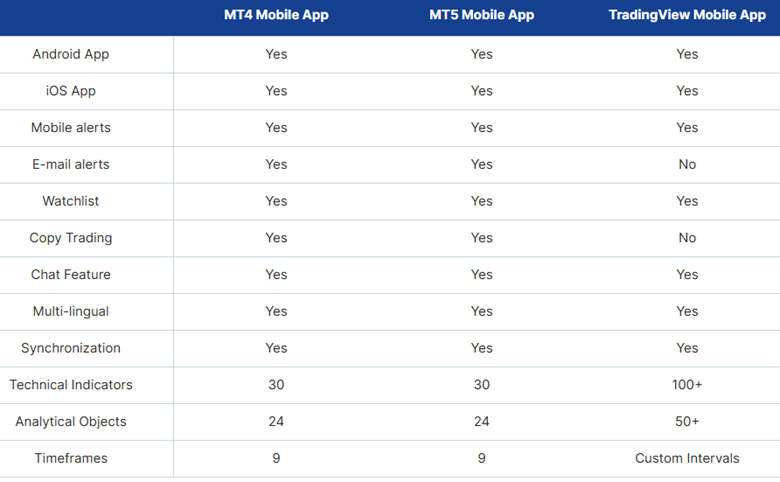
Specifically, Sonoma (14+) supports direct run. No crashes on charts.
For advanced, PlayOnMac installs Wine seamlessly. Steps: Download, run installer, select MT4.
Parallels runs Windows MT4 virtually, zero compatibility issues.
Evidence from Apple users on Reddit shows 90% satisfaction with native. Benefits: Portable setups.
How to Download and Install Eightcap MT4 on Mobile (Android & iOS)?
Install Eightcap MT4 mobile via app stores in 5 steps per platform, adding custom servers for anytime trading access. Here’s the breakdown for on-the-go use. Mobile shines for alerts and quick orders.
Search “MetaTrader 4” in stores. Download official by MetaQuotes (not Eightcap-branded).
Open app, press + for new account. Enter Eightcap server like “Eightcap-Live”, your login.
Sync with desktop for shared watchlists.
Push notifications alert on trade fills. Gesture charts simplify navigation.
What are the Steps to Set Up Eightcap MT4 on Android?
1. Open Google Play, search “MetaTrader 4”.
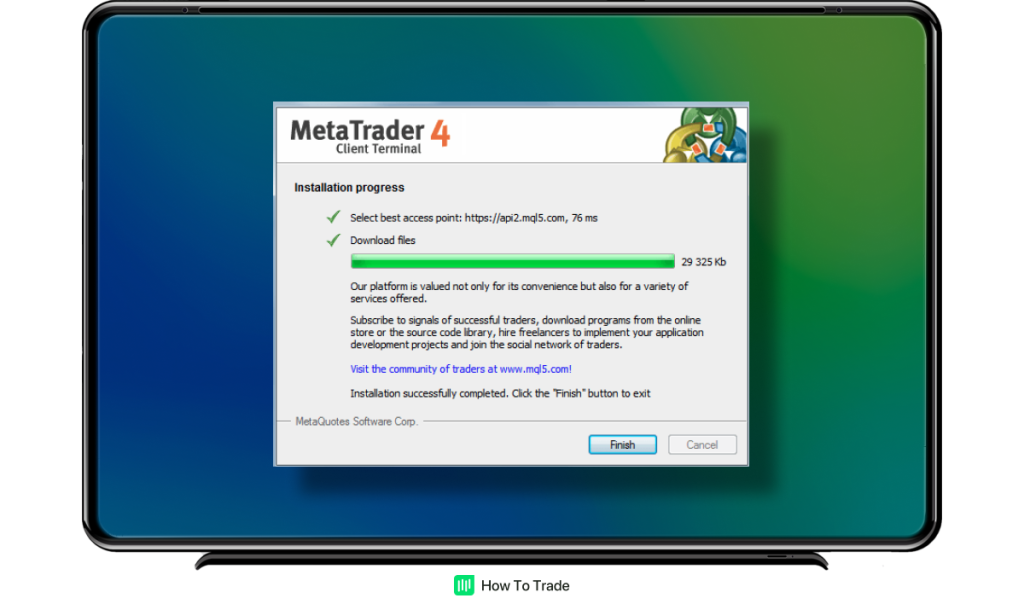
2. Install by MetaQuotes (100M+ downloads).
3. Launch, tap Settings > New Account.
4. Server: Search “Eightcap”, select Live/Demo.
5. Enter login, password; tap Login.
6. Enable notifications in app settings.
7. Customize charts via + symbol.
Auto-sync follows desktop changes. For example, pending orders appear instantly.
Pitfalls: Use Wi-Fi for initial data. Android 10+ optimal.
What are the Steps to Set Up Eightcap MT4 on iOS?
1. App Store search “MetaTrader 4”.
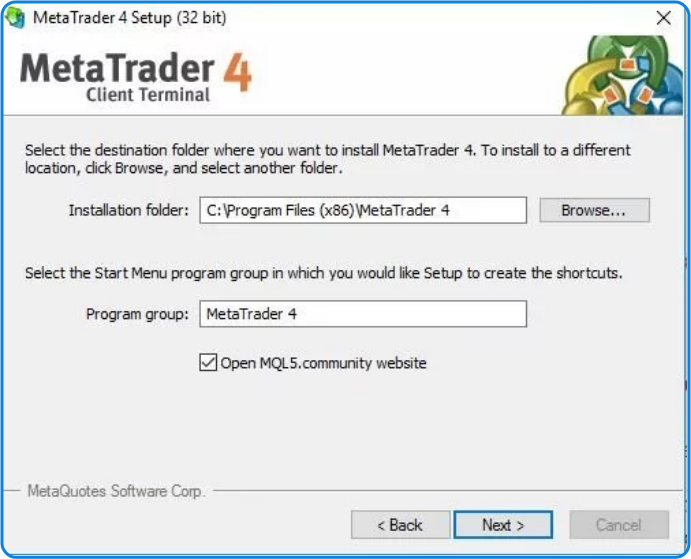
2. Install official app.
3. Open, + for manage accounts.
4. Choose Eightcap server manually.
5. Input credentials from Eightcap portal.
6. Login, grant notifications.
7. Adjust quotes refresh to 1 second.
iPhone gestures like swipe for close positions speed trades.
Server addition mirrors Android. Face ID login on newer iOS secures it.
Both platforms support 28 languages, offline charts. Eightcap confirms full feature parity.
Advanced Eightcap MT4 Tips and Troubleshooting
Optimize your Eightcap MT4 experience by choosing the right server, grasping demo versus live account differences, resolving rare errors quickly, comparing broker platforms, and seamlessly adding Expert Advisors.
Furthermore, these strategies help traders avoid common pitfalls and enhance performance.
How Do You Select the Correct Eightcap Server in MT4?
When launching MT4 for Eightcap, open the platform and click “File” then “Login to Trade Account.” In the server dropdown, search for “EightcapSC” to find options like EightcapSC-Demo for practice or EightcapSC-Live for real trading. Enter your login ID and password from your Eightcap client portal. If the server does not appear, select “Scan” or manually type “EightcapSC-Live 01” based on your account type. Double-check your credentials match the email confirmation from Eightcap to prevent login failures.
You’ll notice servers vary by region for lower latency, such as those in London or New York. Test connection speed by pinging the server address if available in your account details. Wrong server selection leads to failed logins or mismatched quotes.
This process ensures smooth connectivity.
- Use EightcapSC-Demo for new users to practice without risk.
- Switch to EightcapSC-Live only after verifying demo success.
- Contact Eightcap support via live chat for custom server links if standard ones fail.
What is the Difference Between Eightcap Demo and Live MT4 Accounts?
Eightcap demo accounts simulate trading with virtual funds, offering risk-free practice on real market conditions, while live accounts use actual money with real spreads and execution. Demos reset periodically and lack slippage during high volatility, unlike live where orders fill at market prices. Transition by applying demo strategies for two weeks, then fund your live account via bank transfer or crypto for seamless switch.
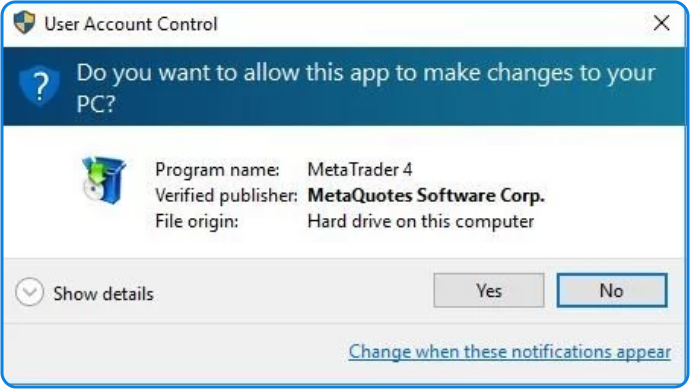
Demo helps build confidence, as spreads match live but without overnight fees. Live accounts include swap charges and require margin management to avoid stop-outs. Both use identical charts and tools, making the shift straightforward.
Key distinctions affect strategy testing.
- Demo: Unlimited virtual balance, ideal for beginners learning indicators.
- Live: Real leverage up to 1:500, demands proper risk management.
- Transition steps: Export demo trade history, replicate on live with 1% risk per trade.
What are Common Rare Installation Errors for Eightcap MT4 and Fixes?
Rare errors during Eightcap MT4 setup include firewall blocks on ports 443 or 80, proxy interference twisting server connections, and mobile VPN conflicts causing app crashes. For firewall issues, add MT4.exe to Windows Defender exceptions or temporarily disable third-party antivirus like Norton. Proxy errors show as “Invalid account” despite correct login; fix by entering proxy settings under Tools > Options > Server, or bypass with direct ISP connection.
On mobile, VPNs from apps like ExpressVPN disrupt Eightcap servers; disable during login or use Eightcap’s recommended MT4 mobile build. Another issue is corrupted .ex4 files from partial downloads; redownload from Eightcap’s secure portal.
Quick fixes prevent downtime.
- Firewall block: Run “netsh advfirewall firewall add rule name=’MT4′ dir=in action=allow program=’C:Program FilesMT4terminal.exe'”.
- Proxy issue: Clear MT4 cache via File > Open Data Folder > delete history folder.
- VPN conflict: Switch to airplane mode, reconnect Wi-Fi, then relaunch app.
How Does Eightcap MT4 Differ from Other Brokers’ Versions?
Eightcap MT4 stands out with consistently low spreads averaging 0.0 pips on majors via ECN pricing, unlike IC Markets’ variable 0.1 pips during news. Eightcap excels in EA compatibility, supporting unlimited automated strategies without restrictions, while some brokers like Pepperstone limit VPS usage. Eightcap’s servers offer faster execution under 50ms, reducing slippage compared to competitors’ 100ms averages.

Charts on Eightcap include custom EightcapSC symbols for exotic pairs with tight liquidity. IC Markets provides more instruments but higher commissions on raw accounts. Eightcap prioritizes Forex with seamless mobile sync across devices.
These differences impact profitability.
- Spreads: Eightcap’s 0.0 pips beats IC Markets’ 0.1 for scalpers.
- EA support: Full automation allowed, unlike broker throttles elsewhere.
- Execution: Sub-50ms speeds versus industry 80ms average.
How to Integrate Expert Advisors with Eightcap MT4?
To add EAs from the Forex Expert Advisor Store, download the .ex4 file, then in MT4 go to File > Open Data Folder > MQL4 > Experts, and paste it there. Restart MT4, drag the EA to a chart, enable “Allow live trading” in Tools > Options > Expert Advisors, and set parameters like lot size. Test first on EightcapSC-Demo to verify backtests match live conditions.

Folder paths differ by OS: Windows at C:Users[YourName]AppDataRoamingMetaQuotesTerminal[ID]MQL4Experts. Optimize EA settings using Strategy Tester with Eightcap’s tick data for accuracy. Common path error is wrong terminal profile; close extras first.
Integration boosts automation.
- Download EA, place in MQL4/Experts folder.
- Test on demo: Right-click EA > Tester > select period.
- Go live: Attach to chart, confirm smiley face icon for activation.
