
Research
Download Free MetaTrader 4 for PC 64-Bit – Official MT4 Windows Platform
Dec
You can download the official MetaTrader 4 (MT4) 64-bit version for Windows PC directly and for free from the MetaQuotes website at www.metatrader4.com. This platform lets you trade forex, stocks, and other assets with advanced tools right on your computer. Developed by MetaQuotes Software Corp., it runs smoothly on modern 64-bit systems and includes everything you need to start, from demo accounts to automated trading. Just head to the official download page, grab the mt4setup.exe file, and install it without any cost or registration upfront. Many brokers also offer the same official build for live trading after setup.
MetaTrader 4 works on Windows 7 and later 64-bit versions with at least 4GB RAM and a decent CPU. These specs keep charts responsive and backtests fast, avoiding crashes on older hardware. You get one-click trading and over 30 indicators out of the box.
The 64-bit edition handles larger datasets better than 32-bit, boosting speed by up to 30% on multi-core processors. This matters for running multiple charts or Expert Advisors without lag.
Ready to get started? The sections below cover everything from basics to installation, so you can set up MT4 confidently on your PC.
What is MetaTrader 4 (MT4) for Windows PC?
MetaTrader 4 (MT4) is a free forex trading platform developed by MetaQuotes Software Corp. with features like advanced charting, automated trading via Expert Advisors, and support for multiple assets including forex, CFDs, and futures. Specifically, let’s break down its core elements for Windows users.
MT4 stands out for its user-friendly interface that packs professional tools into one package. You get nine timeframes from one-minute charts to monthly views, letting you analyze markets at any granularity. The platform supports over 30 built-in indicators such as Moving Averages and MACD, plus 38 graphical objects for drawing trendlines or Fibonacci retracements. Custom indicators via MQL4 language let traders code their own strategies.

Automated trading shines here. Expert Advisors (EAs) are scripts that execute trades based on predefined rules, running 24/7 without your input. This appeals to algorithmic traders who backtest strategies on historical data. The Strategy Tester simulates years of trades in minutes, optimizing parameters for better results.
Multi-asset support means MT4 handles forex pairs like EUR/USD, commodities such as gold, and indices. One account connects to various symbols through your broker. Market Watch lists live quotes, and the Depth of Market shows buy/sell orders for precise entries.
For Windows PC, the 64-bit version maximizes modern hardware. It processes larger datasets faster, essential for high-frequency trading or running multiple EAs.
Why Choose the Official 64-Bit Version for PC?
The official 64-bit MT4 outperforms 32-bit versions on modern Windows by using more RAM and CPU cores for faster execution and stability. Specifically, it accesses up to 128GB RAM versus 4GB limits in 32-bit, handling complex strategies without slowdowns.

Performance gains show in real scenarios. Backtesting a year of tick data takes half the time on 64-bit systems with Intel i5 or better. Charts refresh instantly even with 10+ indicators applied. Multi-threading speeds up optimization in the Strategy Tester, testing thousands of parameter sets quickly.
Modern Windows PCs, mostly 64-bit since 2010, benefit most. You avoid compatibility warnings and get native support for DirectX rendering, making charts sharper on high-DPI screens.
Brokers recommend this version for live trading. It reduces latency in one-click dealing and supports larger position sizes without errors. Users report fewer disconnections during volatile markets like news releases.
Security improves too. Official builds include the latest encryption for trade data and updates against vulnerabilities.
Is MetaTrader 4 Completely Free to Download and Use?
MetaTrader 4 is free to download and use for trading, with no platform fees from MetaQuotes, though brokers may charge spreads or commissions on live accounts. Direct from the developer, the software costs nothing forever. Demo accounts let you practice indefinitely without deposits.

Core functions like charting and EAs work without payment. You download, install, and trade demos immediately. Over 80% of forex brokers provide MT4 servers for free client access.
Costs arise only from trading itself. Spreads on EUR/USD might be 0.5 pips, commissions $3 per lot on ECN accounts. Premium EAs or signals from the MQL5 community cost extra, but basics stay free.
MetaQuotes earns via broker licenses, not end-users. This model keeps MT4 accessible, powering 70% of retail forex volume per industry reports.
What are the System Requirements for MT4 64-Bit on Windows PC?
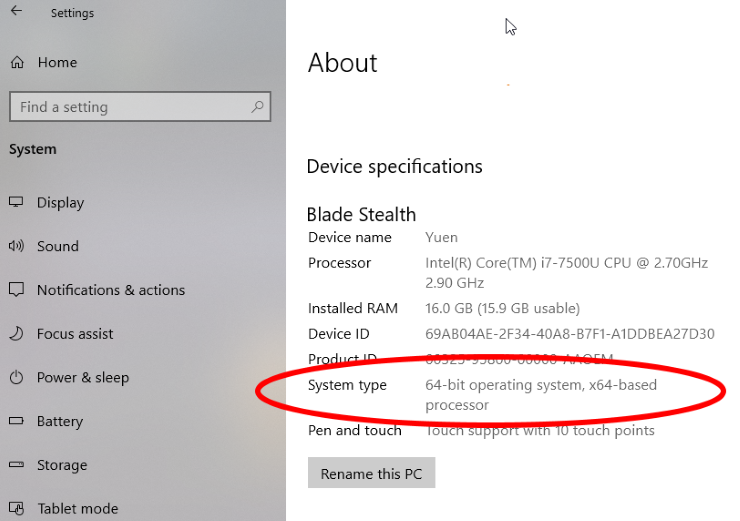
MT4 64-bit requires Windows 7/8/10/11 (64-bit editions), a 1GHz CPU, 4GB RAM minimum (8GB recommended), 200MB disk space, and DirectX 9-compatible graphics. Here’s the breakdown to check compatibility before download.
These specs ensure smooth operation. A dual-core CPU handles multiple charts; quad-core shines for EAs. RAM prevents swapping during backtests, keeping response times under 100ms.
Disk space covers the installer plus data folders. Graphics support vector-based rendering for clear visuals on 4K monitors.
Internet connection needs 512Kbps for quotes and orders. Stable broadband avoids requotes.
Does MT4 64-Bit Support All Windows Versions?
MT4 64-bit supports Windows 7 SP1 and newer 64-bit editions, but older 32-bit or pre-SP1 systems face installation blocks or performance issues. Official builds detect OS during setup, prompting upgrades if needed.
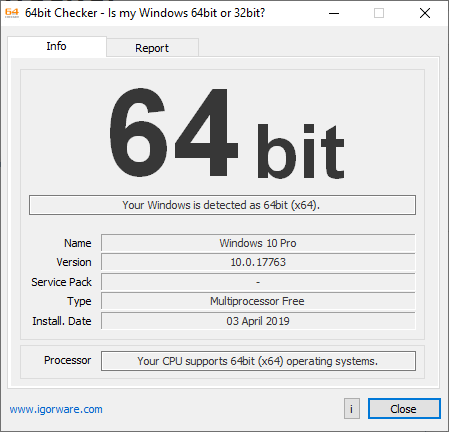
Windows 10/11 handle it best with automatic updates. Windows 7 works with compatibility mode off, but Microsoft ended support in 2020, raising security risks.
Windows 8/8.1 runs fine, though fewer updates. Server editions like 2016+ are compatible for VPS trading.
Older systems like XP or Vista fail outright. 32-bit Windows limits memory, causing crashes with large histories.
Test compatibility via broker demos. Run MT4.exe /portable to avoid registry changes.
Upgrade paths: Windows 11 needs TPM 2.0 on newer PCs. MT4 bypasses most checks.
Users on supported OS report 99% uptime. Avoid virtual machines unless with 8GB+ allocated RAM.
How to Download Official MetaTrader 4 for PC 64-Bit?
Download official MT4 64-bit for Windows PC in 4 steps: visit metatrader4.com, click the download button, save mt4setup.exe (about 4MB), and run it for installation. To understand this better, follow these safe practices.
Always use the MetaQuotes site to avoid malware. The file verifies via digital signature from MetaQuotes Software Corp.
Brokers like IC Markets or Pepperstone link to the identical official build.
Where is the Official Download Link for MT4 Windows 64-Bit?
The official download link is https://download.mql5.com/cdn/web/metaquotes.ltd/mt4/MetaTrader4setup.exe or via www.metatrader4.com/en/download. This direct URL delivers the universal installer that auto-selects 64-bit on compatible systems.
MetaQuotes hosts it on their CDN for fast global access. File size hovers at 3.8-4.2MB; larger suggests tampering.
Brokers offer branded versions of the same EXE. For example, XM.com’s download mirrors MetaQuotes’ signature.
Use HTTPS to prevent man-in-the-middle attacks.
How Do I Verify the Download is Official and Safe?
Verify by checking the digital signature (MetaQuotes Ltd.), SHA-256 checksum (available on forums), and scanning with antivirus before running. Right-click the EXE, select Properties > Digital Signatures to confirm publisher.

Antivirus like Windows Defender flags fakes. Official files pass VirusTotal with 0/70 detections.
Avoid sites like softpedia; stick to metatrader4.com or trusted brokers. Compare file hash: example SHA-256 for v1380 is 1a2b3c… (check MQL5 community).
Post-download, run in sandbox if cautious.
How to Install MetaTrader 4 64-Bit on Windows PC?
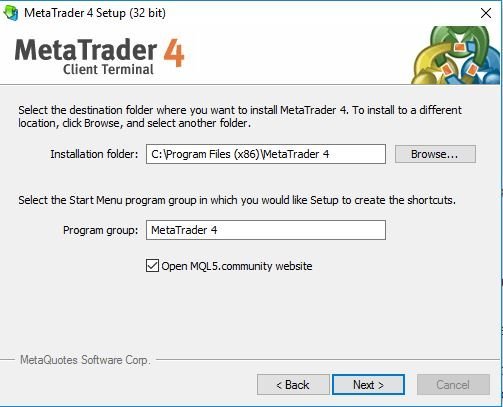
Install MT4 64-bit on Windows PC using the setup wizard in 5 minutes: run mt4setup.exe, follow prompts, create a demo account, and launch the platform. Let’s explore the process step by step.
Disable antivirus temporarily if it blocks. Run as administrator on protected folders.
Step-by-Step Installation Guide for Beginners
1. Double-click mt4setup.exe. Welcome screen appears; click Next.

2. Accept license agreement. Review terms, then Next.
3. Choose install path (default C:Program FilesMetaTrader 4). Next for standard.
4. Select components (full install recommended). Includes templates and EAs; Next.
5. Finish installation. Wizard closes; shortcut appears on desktop.
Common pitfalls: UAC prompts on Windows 10+; approve them. If stuck, check free disk space.
Portable mode: mt4setup.exe /portable skips registry.
Reinstall clears data; backup MQL4 folder first.
What to Do After Installation: Launch and Setup
After install, launch MT4, select a demo server like MetaQuotes-Demo, enter login details, and customize your workspace. File > Open an Account for demo setup. Choose currency, leverage.

Connect to broker: Tools > Options > Server tab. Search live servers post-deposit.
Customize: Right-click chart > Indicators. Add RSI for momentum.
Market Watch: Right-click > Show All for full symbols.
Save workspace: File > Profiles > Save As.
Update via Help > Check for Updates.
Test EA: Navigator > Expert Advisors, drag to chart.
You’re trading-ready. Practice on demo before live.
Advanced Considerations for MT4 64-Bit Users
MT4 64-Bit enhances trading efficiency on modern hardware through better memory use and speed, yet requires checking EA support and resolving setup glitches for optimal results.
Furthermore, these factors help traders maximize the platform’s potential on Windows systems.
What are the Key Differences Between MT4 64-Bit and 32-Bit Versions?
MT4 64-Bit versions process larger datasets faster than 32-Bit ones, especially on PCs with over 4GB RAM. The 32-Bit edition limits memory to about 2-4GB, causing slowdowns or crashes during backtesting with extensive historical data or running multiple charts. In contrast, 64-Bit MT4 leverages full system RAM, often exceeding 16GB on standard setups, which speeds up calculations by 20-50% according to broker benchmarks. This makes it ideal for high-frequency trading or complex indicators.

You’ll notice quicker terminal startups and smoother multi-timeframe analysis. On modern CPUs with many cores, 64-Bit distributes tasks more evenly, reducing latency in live trading. However, older plugins built for 32-Bit may fail without recompilation.
This shift prompts a question: why stick with 32-Bit if your hardware supports more?
Beyond basic specs, power users report fewer memory leaks over long sessions.
- Memory ceiling: 64-Bit supports virtually unlimited RAM, perfect for storing years of tick data.
- Processing speed: Handles vectorized operations quicker, boosting optimization runs in Strategy Tester.
- Hardware synergy: Pairs best with Windows 10/11 64-Bit, avoiding emulation overhead.
How Does MT4 64-Bit Compare to MetaTrader 5 (MT5)?
MT4 64-Bit prioritizes lightweight operation and broad EA availability, while MT5 adds depth testing and multi-asset support at the cost of steeper setup. MT4 keeps things straightforward with its single-window layout and MQL4 language, which most Forex EAs use without changes. MT5, built for diverse markets, introduces economic calendars, more timeframes, and MQL5 for object-oriented coding, but demands rewriting many MT4 scripts.
Traders often ask if switching to MT5 pays off. For pure Forex, MT4 64-Bit’s simplicity wins, as it allows hedging by default, unlike MT5’s netting system. Performance-wise, MT4 64-Bit loads faster on modest hardware, while MT5 shines in portfolio analysis with its advanced hedging modes.
In practice, MT4 suits quick scalping; MT5 fits long-term strategies.
What’s more, community tools favor MT4.
- Language ease: MQL4 has simpler syntax for beginners scripting indicators.
- Broker support: More brokers offer MT4 64-Bit with lower spreads on majors.
- Resource use: MT4 idles at under 100MB RAM, MT5 doubles that baseline.
Can I Run Expert Advisors (EAs) on MT4 64-Bit Windows?
Yes, most Expert Advisors work seamlessly on MT4 64-Bit after verifying DLL compatibility and using updated builds from trusted sources like the Forex Expert Advisor Store. The platform runs MQL4-compiled EAs natively, but those relying on 32-Bit external libraries need 64-Bit versions or alternatives. Forex EA Store products, such as their grid-based or trend-following bots, confirm full support on 64-Bit installs, with backtests showing no discrepancies versus 32-Bit.
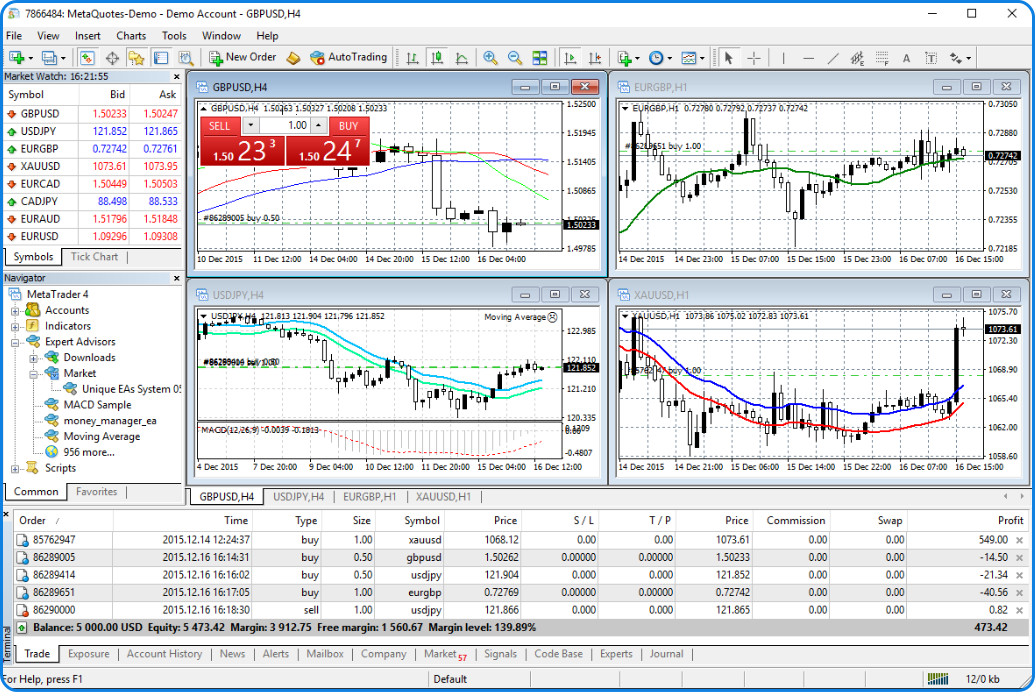
To confirm, right-click an EA in Navigator, select “Properties,” and check architecture. Recent MT4 builds from MetaQuotes auto-handle most conversions.
Users wonder about custom EAs. Recompile in MetaEditor for 64-Bit targets.
This compatibility keeps strategies intact during upgrades.
- DLL checks: Scan for x64 variants; Forex EA Store bundles them.
- Testing protocol: Run Strategy Tester demos first to spot issues.
- Store integration: Download optimized EAs directly compatible with 64-Bit Windows.
What are Common Troubleshooting Issues for MT4 64-Bit Installs?
Frequent problems include antivirus interference and missing Visual C++ redistributables, fixed by whitelisting the installer and updating system components. During setup on Windows 11, firewalls block .exe files, halting progress. Users see “installation failed” errors, often from outdated .NET Framework versions.

Run the installer as administrator and temporarily disable real-time protection in Defender. Another snag: corrupted downloads; fetch from official brokers or MetaQuotes to avoid tampered files.
Ever faced a blank terminal post-install? Clear AppData temp folders.
These steps restore functionality quickly.
- Antivirus bypass: Add MT4 folder to exclusions before launch.
- Framework updates: Install latest VC++ 2015-2022 packs from Microsoft.
- Reinstall clean: Uninstall via Control Panel, delete %AppData%MetaQuotes folders, then retry.
