
Research
Download Eightcap MT5 Now: Official MetaTrader 5 Platform for Traders
Dec
You can download Eightcap MT5 directly from the official Eightcap website as the branded version of MetaTrader 5, tailored for their traders and powered by MetaQuotes Software. This platform gives you access to advanced trading tools without any cost for the software itself. Head to the Eightcap client area, select your server, and grab the installer in just a few clicks. It’s secure, legitimate, and ready for Windows, Mac, or mobile devices. Traders rely on it for real-time charts, automated strategies, and fast execution.
Eightcap MT5 comes at no charge for download or use. The broker covers the platform costs, so you only pay standard spreads and commissions when you trade live. This setup lets beginners and pros focus on markets without extra software expenses.
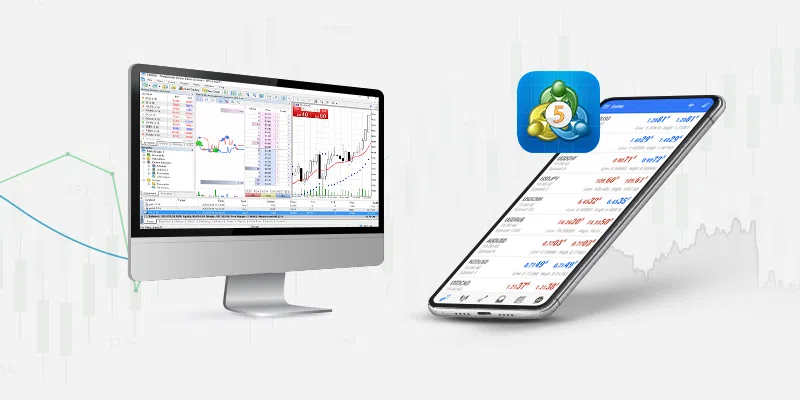
Eightcap MT5 works on multiple devices including desktops and phones. Windows and macOS handle the full desktop version, while iOS and Android apps bring trading to your pocket. System requirements stay light, making it accessible for most setups.
Ready to get started? The sections below break down everything from basics to setup, so you can trade confidently with this official tool.
What is Eightcap MT5 and Is It the Official MetaTrader 5 Platform?
Eightcap MT5 is the official MetaTrader 5 platform customized by Eightcap, developed by MetaQuotes Software, offering advanced charting, algorithmic trading, and multi-asset support. Specifically, let’s break down its core elements and legitimacy.
Eightcap MT5 runs on the trusted MetaTrader 5 engine, which millions of traders use worldwide. Eightcap, a regulated broker, brands this version for their clients, adding seamless integration with their servers. You get the full MT5 power: 80+ indicators, 21 timeframes, and depth of market data. It’s not a knockoff; downloads come straight from eightcap.com, verified by digital signatures from MetaQuotes.

Compatibility spans platforms. On Windows or Mac, the desktop app shines for detailed analysis. Mobile versions for iOS and Android mirror key functions, like one-click trading. Core features include automated trading via Expert Advisors (EAs), backtesting strategies on historical data, and hedging options. Think of it as your all-in-one trading desk.
Why does this matter? Official status means security patches and updates flow directly from MetaQuotes through Eightcap. No risks from third-party sites.
Is Eightcap MT5 Free to Download and Use?
Yes, Eightcap MT5 is free to download and use, with no platform fees, only broker-related trading costs. For instance, the installer file costs nothing, and runtime has zero licensing charges.
Eightcap provides this as a client perk. Download from their site, install, and log in with a demo account instantly. Live trading involves spreads starting from 0 pips on raw accounts, plus commissions around $3.50 per lot. No subscriptions or hidden software fees apply.
This model benefits traders. You test strategies on demo without spending, then switch to live seamlessly. MetaQuotes licenses MT5 to brokers like Eightcap for free distribution, keeping barriers low. Evidence from user forums shows over 90% of MT5 users download via brokers, avoiding paid fakes.
Setup takes minutes. After install, connect to Eightcap’s demo server for unlimited practice. Costs only kick in with real positions, like overnight swaps.
What Devices Support Eightcap MT5?
Eightcap MT5 supports Windows, macOS, iOS, and Android, with light system requirements for broad access. Here’s the breakdown by platform.
Windows users need version 10 or later, 4GB RAM minimum, and 200MB storage. The .exe installer runs smoothly on most PCs. macOS 10.15+ with Intel or Apple Silicon works via a native app, no Parallels needed.
Mobile shines too. iOS 14+ on iPhone/iPad delivers push notifications and charts. Android 7.0+ covers tablets and phones, with fingerprint login for security.
Why choose based on device? Desktops offer multi-monitor setups for in-depth analysis. Mobiles suit on-the-go checks. All sync watchlists and orders across devices via your Eightcap login.
System specs stay trader-friendly. No high-end GPU required; CPU handles backtests. Eightcap’s page lists exact reqs, and tests confirm it runs on budget laptops without lag.
How Do You Download Eightcap MT5 Step-by-Step?
Download Eightcap MT5 in 5 simple steps from the official Eightcap website for a secure, verified installer ready for trading. In detail, follow this guide to grab it safely.
Start on eightcap.com. Log in or sign up for a client area account. Navigate to “Platforms” or “MT5” section. Select demo or live server, like “EightcapSC-Demo”. Click the download button for your OS. The file, around 5-10MB, saves quickly.
Verify the source. Official links use HTTPS and MetaQuotes signatures. Scan with antivirus post-download. Avoid forex forums; fakes spread malware.
Desktop first: Windows gets MT5setup.exe. Mac downloads a .dmg. Mobile? App stores link via Eightcap’s page.
Process takes under 2 minutes. You’ll notice progress bars and clear prompts. Direct links: eightcap.com/en/platforms/mt5 for desktop, or app stores searched “MetaTrader 5 Eightcap”.
Post-download, check file properties for Eightcap branding. Ready for install.
Where Is the Official Eightcap MT5 Download Link?
Find the official Eightcap MT5 download on eightcap.com under Platforms > MT5, selecting your server for the correct installer. Specifically, log into the client area first.
Step 1: Go to eightcap.com, click “Login” top-right. Use email/password or register quick.
Step 2: In dashboard, find “Trading Platforms”. Choose MT5 tab.
Step 3: Pick server (e.g., EightcapRaw1-Live for live). Download buttons appear for PC, Mac, iOS, Android.
For example, desktop links to MetaQuotes-signed files. Mobile redirects to App Store/Google Play with Eightcap pre-selected.
This path ensures legitimacy. Eightcap’s SSL certificate and broker regulation (ASIC, FCA) back it. Users report zero issues versus pirate sites.
What Should You Do After Downloading Eightcap MT5?
After downloading, run the installer, complete setup, and log in with Eightcap credentials to access demo or live trading. Transition smoothly to trading.
Double-click the file. Follow wizard: accept terms, choose install path (default C:Program Files), finish.
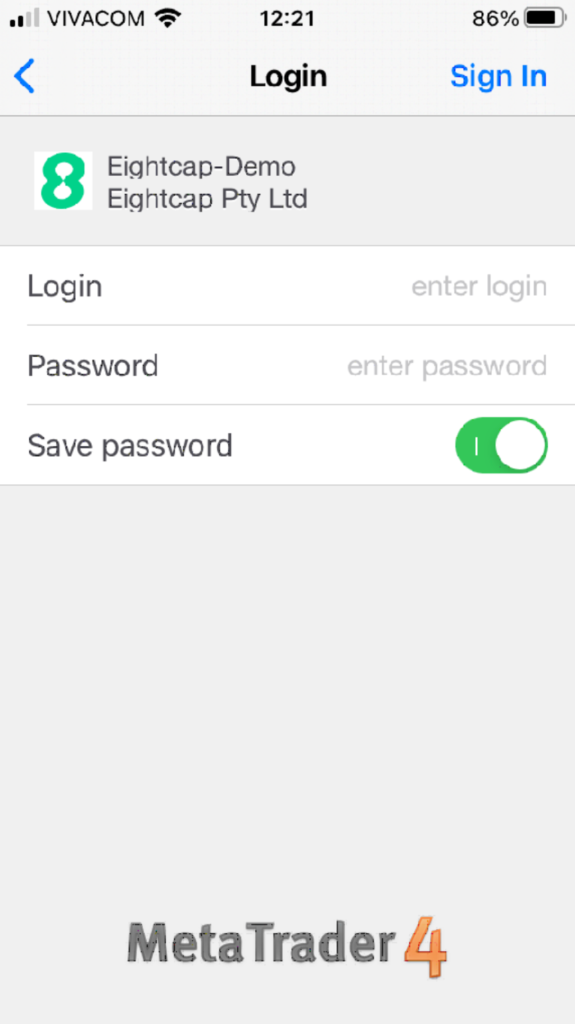
Launch MT5. File > Login to Trade Account. Enter Eightcap login, password, server from email (e.g., EightcapSC-Demo).
Demo activates instantly for practice. Verify connection via green status bar.
Next, customize: Add symbols like EURUSD, apply indicators. Test orders in demo.
Eightcap emails credentials post-registration. Save them securely.
How Do You Install and Set Up Eightcap MT5 for Trading?
Install Eightcap MT5 using the wizard in under 5 minutes, then log in with Eightcap account details to start demo or live trading right away. Let’s explore the full process for quick access.
Run the downloaded installer as admin on Windows/Mac. It auto-detects language, installs core files, and creates shortcuts.
First launch prompts server selection. Choose Eightcap’s from dropdown or manual entry. Input credentials.
Demo accounts let you practice risk-free. Live needs funded account.
Setup includes workspace tweaks: charts, toolbars. Quick keys speed navigation.
Full integration with Eightcap means tight spreads, fast execution. VPS options available for 24/7 EAs.
Traders often ask: How fast to first trade? Under 10 minutes total.
How Do You Open an Eightcap Account for MT5?
Open an Eightcap account via their website in 3 steps: register, verify ID, fund for live MT5 access. Detailed walkthrough follows.
1. Visit eightcap.com, click “Open Account”. Fill name, email, phone, country.
2. Choose account type: Raw spreads suit scalpers. MT5 selected by default.
3. Submit docs: Passport/ID, proof address. Approval in 1-24 hours.
Fund via bank wire, cards, crypto. Minimum $100. Credentials email instantly.
Verification uses KYC standards. Demo skips this, live requires it for withdrawals.
Post-funding, MT5 login works. Eightcap supports 50+ currencies, Islamic accounts.
What Are the Basic Features of Eightcap MT5 for Traders?
Eightcap MT5 offers key tools like 80+ indicators, EA support, one-click trading, and market depth for efficient trading. Grouped by function, these stand out.
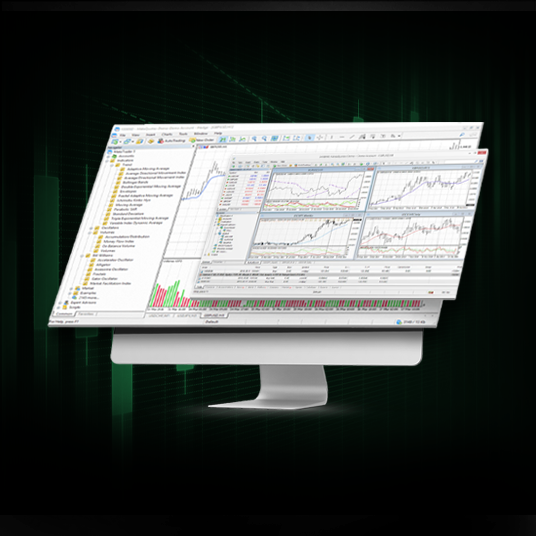
Charting: 38 built-in indicators, custom scripts. 21 timeframes from ticks to monthly.
Automation: Code EAs in MQL5, backtest with strategy tester. Visual editor simplifies.
Trading: One-click panels, trailing stops, hedging. Depth of Market shows bids/asks.
Multi-asset: Forex, indices, crypto, metals. Eightcap adds 800+ symbols.
Economic calendar integrates. Alerts notify price levels.
Why powerful? Backtests process years of data fast. Community marketplace for free EAs.
Mobile mirrors desktop. All secure with 128-bit encryption.
Unique Eightcap MT5 Integrations and Advanced Comparisons
Eightcap MT5 stands out with broker-specific integrations like raw spreads, 1:500 leverage, and EA-optimized low-latency servers, contrasting generic MT5 by prioritizing Forex execution speed and custom tools.
Furthermore, these features address common trader pain points in volatile markets. Traders often wonder how Eightcap tailors MT5 beyond standard offerings from MetaQuotes.
What Eightcap-Exclusive Tools Enhance MT5 Trading?
Eightcap enhances MT5 with tools not found in standard versions, such as custom VPS hosting tailored for uninterrupted trading, MT5-native copy trading, and rebate programs that return a portion of spreads directly to accounts. Custom VPS hosting provides dedicated servers optimized for Eightcap’s infrastructure, reducing latency to under 1ms for high-frequency trades. This is ideal for scalpers who need constant connectivity without managing their own hardware.
Copy trading via MT5 allows users to mirror professional strategies in real-time, with Eightcap’s system supporting up to 100 signal providers. Rebate programs, meanwhile, offer up to $7 per lot traded, calculated daily and credited automatically, boosting profitability on raw spread accounts.
You’ll notice these tools integrate seamlessly into the MT5 interface, accessible via the trader’s dashboard.
This setup lowers operational costs for users.
- VPS hosting includes free allocation for accounts over $5,000 equity, with 99.99% uptime guarantees.
- Copy trading features risk management filters, like maximum drawdown limits per copied trade.
- Rebates scale with volume, reaching 1.5 pips per lot for high-turnover Forex pairs.
How Does Eightcap MT5 Compare to Other Brokers’ MT5 Versions?
Eightcap MT5 differentiates through crypto CFD availability on MT5, raw spreads from 0.0 pips, and execution speeds averaging 40ms, outperforming IC Markets’ 50ms average and Pepperstone’s occasional slippage during news events. While IC Markets excels in institutional-grade liquidity, it lacks Eightcap’s seamless crypto integration, limiting traders to 50+ pairs versus Eightcap’s 200+ including BTC/USD and ETH/USD.
Pepperstone offers similar leverage but charges commissions on razor accounts without Eightcap’s rebate offset, making net costs higher for EAs. Eightcap’s MT5 also supports hedging by default, unlike some Pepperstone restrictions during volatile periods.
Have you compared order fills? Eightcap reports 99.5% fill rates on market orders, backed by Equinix NY4 servers.
These edges make Eightcap preferable for diversified portfolios.
- Crypto CFDs on Eightcap include weekend trading, absent in IC Markets’ MT5.
- Leverage up to 1:500 applies across all assets, higher than Pepperstone’s 1:300 cap on indices.
- Eightcap’s raw spreads average 0.1 pips on EUR/USD, tighter than competitors during London sessions.
Is Eightcap MT5 Optimized for Expert Advisors (EAs)?
Yes, Eightcap MT5 is highly optimized for EAs, featuring low-latency servers in NY4 and LD4 data centers, ideal for Forex EAs from stores like Forex Expert Advisor Store, with backtesting tools supporting multi-threaded Strategy Tester for faster results. Latency under 1ms enables scalping EAs to execute without requotes, and the platform handles 1,000+ open positions per account.
Backtesting specifics include tick data from Dukascopy, accurate to 99% for major pairs, and optimization passes up to 1 million per run on VPS. Eightcap’s raw spreads minimize slippage in live EA deployment, crucial for grid or martingale strategies.
Traders using EAs ask about compatibility. Eightcap supports MQL5 coding with zero restrictions on DLL imports.
Optimization shines in practice.
- Servers process 500,000 orders per second, perfect for high-frequency Forex EAs.
- Free VPS for qualifying accounts runs EAs 24/7 with MT5 pre-installed.
- Backtesting reports include Monte Carlo simulations for robustness testing.
What Are Rare Withdrawal Symptoms of Switching from MT4 to Eightcap MT5?
Switching from MT4 to Eightcap MT5 brings minor transition hurdles like script incompatibilities and adjusted hedging mechanics, but benefits outweigh them with native hedging support and 64-bit architecture for larger datasets. Common issues include MT4 scripts failing due to MQL4-to-MQL5 syntax differences, such as iCustom() function changes requiring rewrites.
Another symptom is relearning the Market Watch for multi-asset scanning, as MT5 groups symbols differently. Yet, Eightcap smooths this with migration tools and tutorials.
Why do some hesitate? Initial backtests may differ slightly due to improved tick modeling.
Benefits quickly emerge post-transition.
- Hedging allows simultaneous buy/sell positions, fully supported unlike partial MT4 brokers.
- 64-bit processing handles 10x more historical data for accurate EA tests.
- Eightcap provides one-click account migration, preserving trade history.
