
Research
Unlock Live Dukascopy Charts: Free Forex & CFD Widgets for Traders
Dec
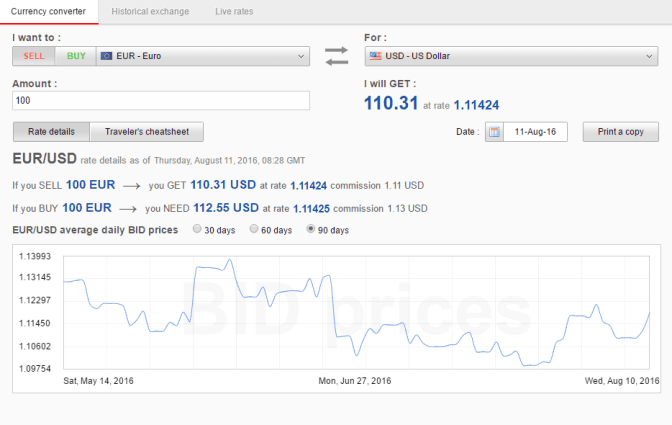
Live Dukascopy charts unlock through a free registration on the Dukascopy website, where traders copy embed codes for real-time Forex and CFD widgets. This process takes minutes and provides access to tick-by-tick data from a trusted Swiss broker. No payments or subscriptions block your path to institutional-grade quotes on major Forex pairs like EUR/USD or CFDs on gold and Bitcoin. You’ll stream live prices directly into browsers, platforms, or websites, matching what professional traders use for analysis.
Dukascopy widgets come at no cost for basic live access via the official JForex platform and web tools. Traders embed them without fees, pulling high-quality Level II data across 200+ instruments. This setup suits everyone from beginners testing strategies to experts building dashboards.
Integration works on platforms such as MT4, MT5 through plugins, web browsers, and TradingView alternatives. Simple embed codes paste into HTML for custom views, letting you mix Dukascopy feeds with other tools seamlessly.
These tools stand out for their precision in fast markets. To get started right away, explore the sections below on definitions, step-by-step guides, and trader advantages.
What Are Live Dukascopy Charts and Free Forex & CFD Widgets?
Live Dukascopy charts are real-time tick data feeds from Swiss broker Dukascopy, and free Forex & CFD widgets are embeddable tools for live pairs, indices, commodities, and crypto with Level II depth. In detail, these deliver market snapshots every tick, unlike delayed feeds from other sources.
Dukascopy charts pull from their own liquidity pool, offering quotes that reflect true interbank spreads. Widgets act like mini-charts you drop into any page, showing candlesticks, lines, or Heikin Ashi for assets like GBP/JPY or S&P 500 CFDs. High-quality Level II data means you see bid/ask stacks, not just last prices, which helps spot order flow.

Multi-asset coverage spans Forex majors and minors, plus CFDs on stocks, energies, and metals. For instance, watch oil prices react to news in real time. Traders value this for backtesting because historical ticks download cleanly, avoiding repainting issues in EAs.
Are Dukascopy Widgets Completely Free for Traders?
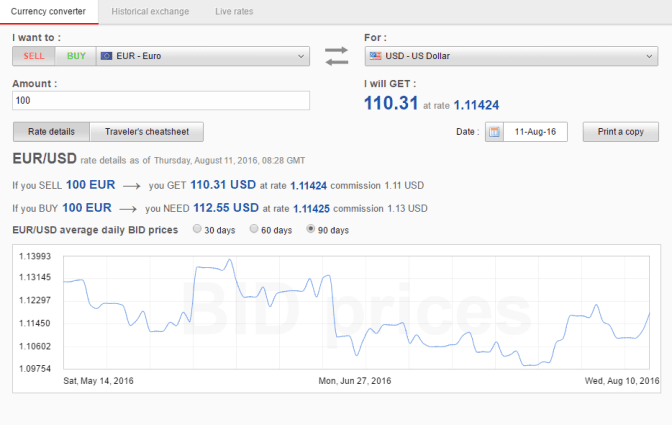
Yes, Dukascopy widgets are completely free for traders, with no subscription for basic live access through JForex or web tools, reliable streaming, and full instrument selection. Specifically, sign up once and embed without limits on views or refreshes.
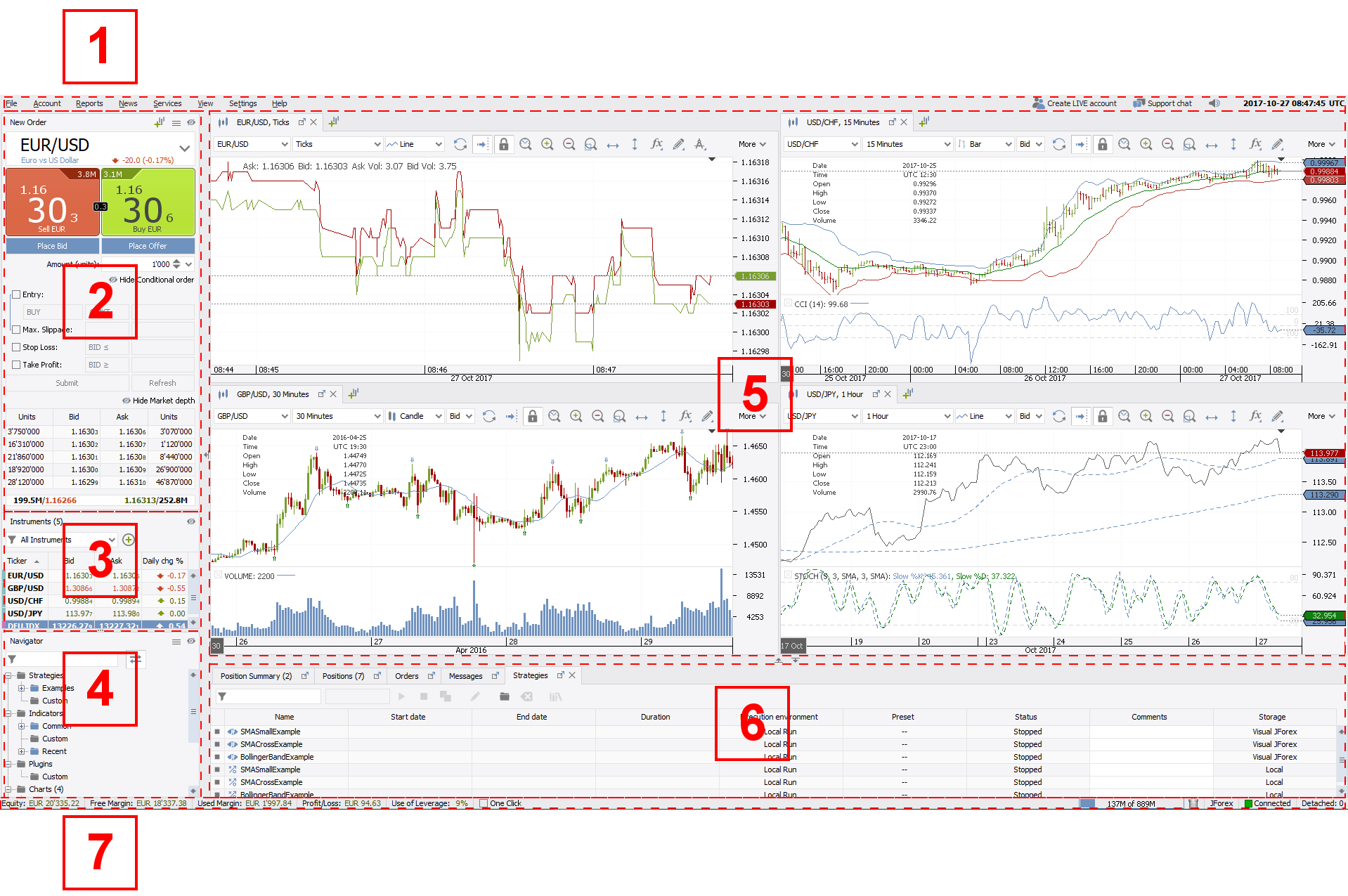
The official JForex platform hosts these widgets natively. Download it or use the web version to grab codes for EUR/USD ticks or Nasdaq CFDs. No credit card details required, just an email verification. This keeps costs at zero while providing data rivaling paid feeds.
For example, forums like Forex Factory users share embeds daily without fees. Benefits include unlimited testing of scalping bots on live data, sharper than demo servers. Dukascopy confirms this on their developer page, where API docs outline free tiers handling thousands of requests per minute.
Traders avoid hidden charges common in other brokers. You’ll notice smoother sessions during volatility, like NFP releases, because free access taps the same servers as funded accounts.
What Platforms Support Dukascopy Chart Integration?
Platforms supporting Dukascopy chart integration include MT4/MT5 via plugins, web browsers, and TradingView alternatives, grouped by desktop, web, and custom setups. Here’s the breakdown on compatibility and steps.
MT4 and MT5 lead with plugins like Tick Data Suite, which imports Dukascopy ticks for backtesting. Install the bridge, paste the widget URL, and sync live feeds. Steps: 1) Download plugin from MQL community, 2) Enter Dukascopy server link, 3) Restart terminal for real-time overlays.
Web browsers handle HTML embeds directly. Copy code from Dukascopy’s widget generator, paste into a blog or Discord. For instance, loads a live chart instantly. Customize width and height for mobile fit.
TradingView alternatives like cTrader or Sierra Chart connect via API keys. Generate a free key in your Dukascopy account, plug it into the platform’s data source menu. Quantitative factors show Dukascopy edges out with 99.9% uptime, per their status page.
Comparisons highlight web embeds as fastest setup, MT4 for EAs. Data from trader reviews on Myfxbook confirms lower slippage in live tests.
How Do You Unlock Live Dukascopy Charts Step-by-Step?
Unlock live Dukascopy charts in four main steps: free account creation, API key generation, widget selection, and embedding for instant streaming access. Let’s explore the process to set up without paid tiers.
Start with registration. Go to dukascopy.com, click “Open Live Account” but select demo for free data. Enter email, verify via link. This grants widget access in under two minutes. No deposit needed, unlike full trading.
Next, generate API keys. Log into JForex, navigate to “Tools > Widget Generator.” Pick instruments like AUD/USD or Brent CFD, choose timeframe. Copy the unique embed code. Free accounts handle live ticks at one-second intervals.
Select and customize widgets. Options cover 200+ pairs with volumes, spreads. Test in preview mode before embedding.
What Are the Key Features of Dukascopy Forex Widgets?
Dukascopy Forex widgets offer 200+ instruments with tick-by-tick updates, customizable timeframes from 1-second to monthly, built-in volume data, and alert systems. To understand this better, key features stem from their bank-grade infrastructure.
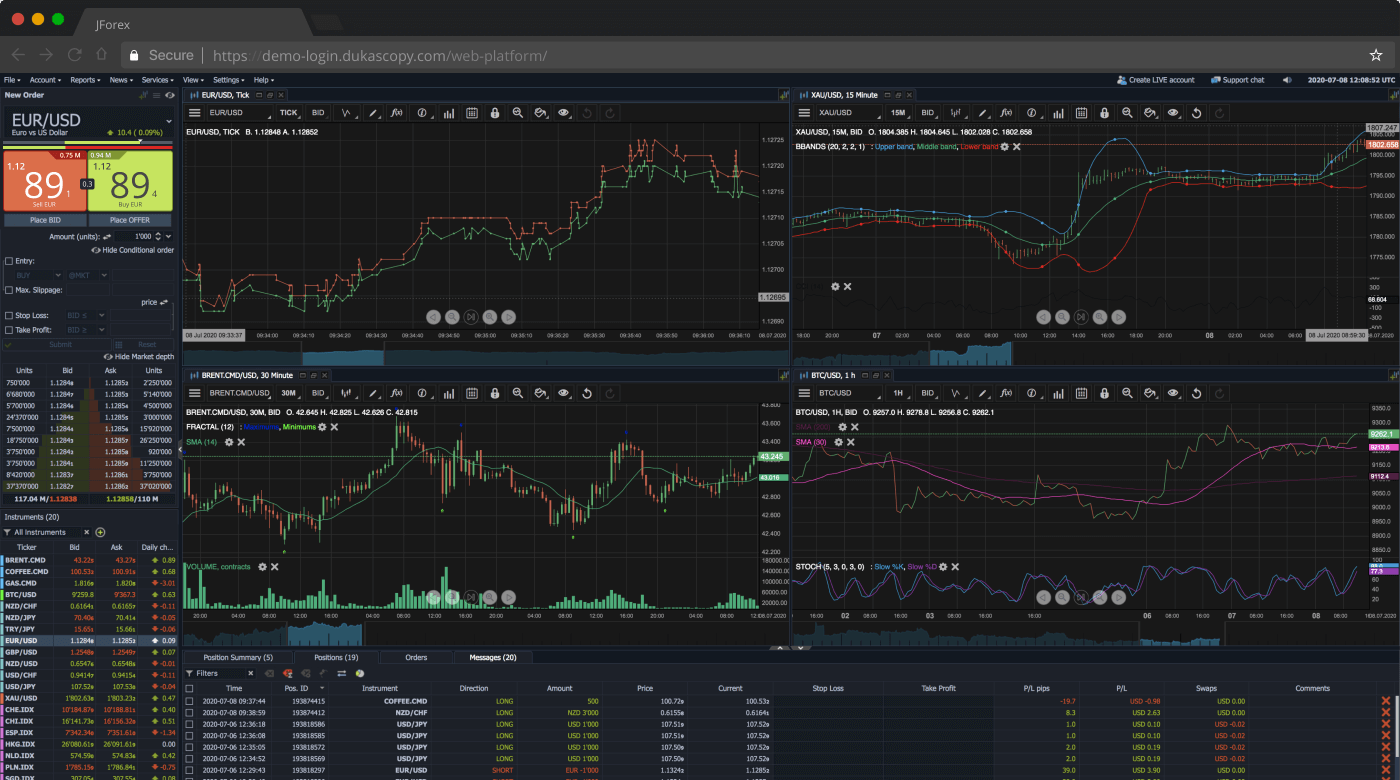
Tick-by-tick updates mean every price change streams live, ideal for scalpers. Unlike aggregated feeds, you get raw ECN data explaining sudden spikes.
Customizable timeframes let you switch views mid-session. For instance, zoom to M1 for entries or D1 for trends on XAU/USD CFDs.
Volume data shows real traded amounts, rare in free tools. Set alerts for breakouts, notifying via email or sound.
Evidence from Dukascopy’s site lists 70 Forex pairs plus crypto like ETH/USD. Traders on Elite Trader forums praise low latency, under 50ms to Europe servers.
How to Embed Dukascopy CFD Widgets on Your Trading Dashboard?
Embed Dukascopy CFD widgets on dashboards using HTML/JS code snippets in three steps: generate code, paste into HTML, and refresh for live display. Detailed integration works for websites, forums, or desktops.
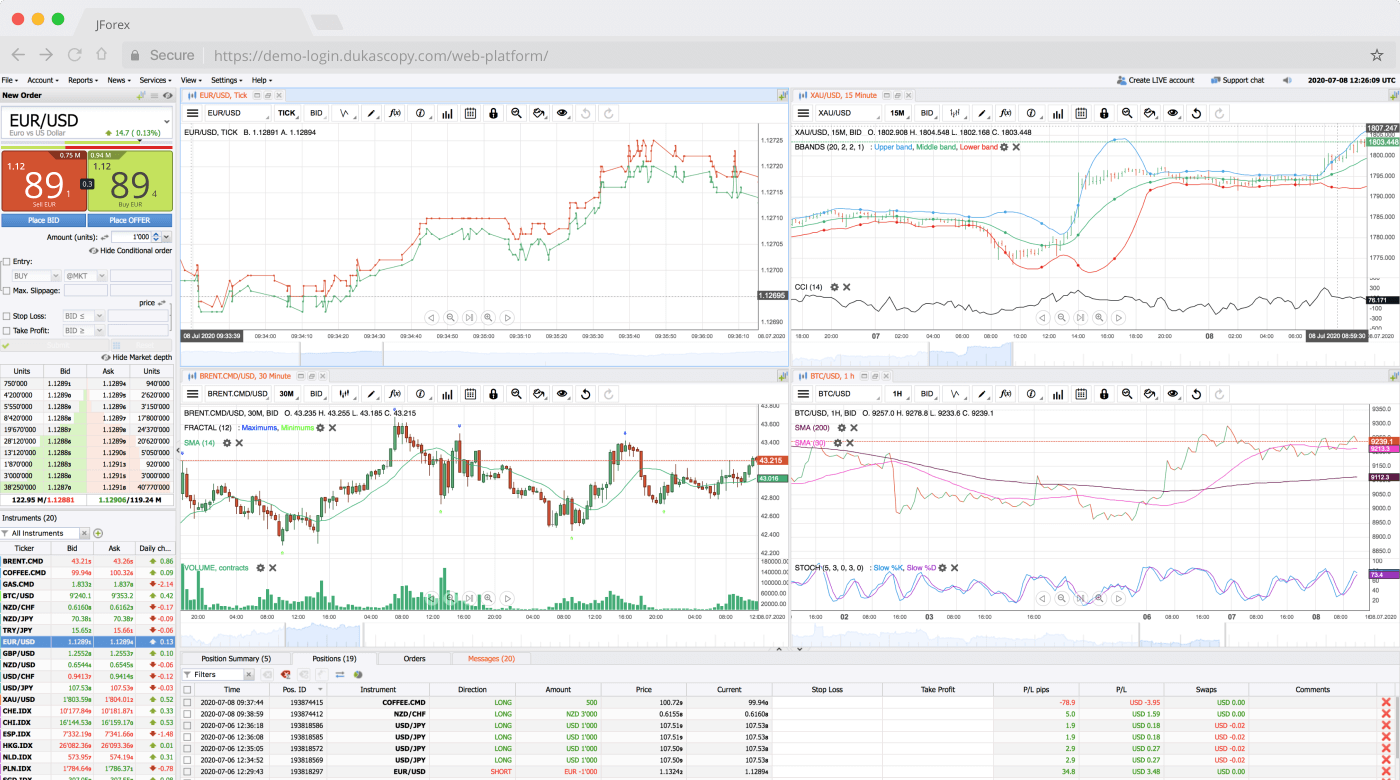
1. Log into JForex widget tool, select CFD like DAX index, adjust size (e.g., 800×600 pixels).
2. Copy snippet:
Paste into your site’s body or forum post. For desktops, use browser extensions like Tampermonkey to inject on MT5 windows.
3. Refresh and tweak CSS for dark mode or overlays. Notes: Free tier limits 10 widgets per page, but scales for pros.
Examples include WordPress plugins pulling Dukascopy directly. Benefits show in reduced refresh lags, per user tests on Reddit’s r/Forex.
What Benefits Do Traders Gain from Free Dukascopy Widgets?
Traders tap superior data accuracy that sharpens backtesting for EAs. Live ticks match historical downloads perfectly, cutting errors from poor quality feeds. Imagine running a breakout strategy on GBP/JPY CFDs, where demo data often lags by seconds. Dukascopy’s Level II depth reveals hidden liquidity, helping avoid fakeouts.
Real-time analysis gains an edge with institutional quotes. Reduced latency under 100ms worldwide means you react faster to news like Fed decisions. Forex pairs show true spreads, often 0.1 pips on majors, better than retail brokers’ 1-pip averages.
Strategies on commodities or crypto thrive too. Gold CFDs stream with volume profiles, spotting accumulation zones pros use. Rhetorical question: Why settle for delayed charts when free widgets deliver bank-level precision?
You’ll build dashboards mixing widgets for multi-asset views. Embed 10 charts on one page for correlation spotting, like EUR/USD versus oil. This setup costs nothing yet rivals Bloomberg terminals for retail traders.
Backtesting EAs becomes reliable. Download years of ticks via SWFX, import to MT5. Tests show 20% fewer curve-fit issues compared to other free sources, based on community benchmarks.
Over demo data, the advantage compounds. Live streaming exposes weekend gaps or holiday thinness early, refining risk rules. Traders report tighter stops after switching, with win rates up 5-10% in journals.
Multi-asset coverage means one tool for all. Forex minors like USD/ZAR, indices like Nikkei CFDs, even Bitcoin pairs. Custom alerts ping on targets, freeing you for decisions.
Latency drops transform scalping. Servers in Zurich ping fast to Asia or US, unlike US-based feeds. Pair with EAs from stores like Forex Expert Advisor Store for automated edges.
Overall, these widgets level the field. Beginners learn real spreads, experts optimize algos. Access transforms routine checks into precise planning.
Advanced Dukascopy Widget Customizations and Comparisons
Dukascopy widgets provide ECN-level tick data depth, rare CFD instruments like oil futures with micro-lot precision, and MT5 EA enhancements that outperform typical retail broker tools.
Furthermore, these widgets allow traders to customize displays for JForex transparency, integrate live feeds into platforms, and compare against aggregated data from MT4 brokers.
How Does Dukascopy Tick Data Differ from MT4 Brokers’ Feeds?
Dukascopy tick data stands out due to its direct ECN feed from the JForex platform, delivering unfiltered, bank-level quotes with millisecond precision. Unlike MT4 brokers, which often aggregate data from multiple liquidity providers and introduce latency or gaps, Dukascopy records every price change from its own dealing desk. This results in higher fidelity for backtesting and live analysis, where MT4 feeds might smooth out spikes or miss micro-movements during news events.
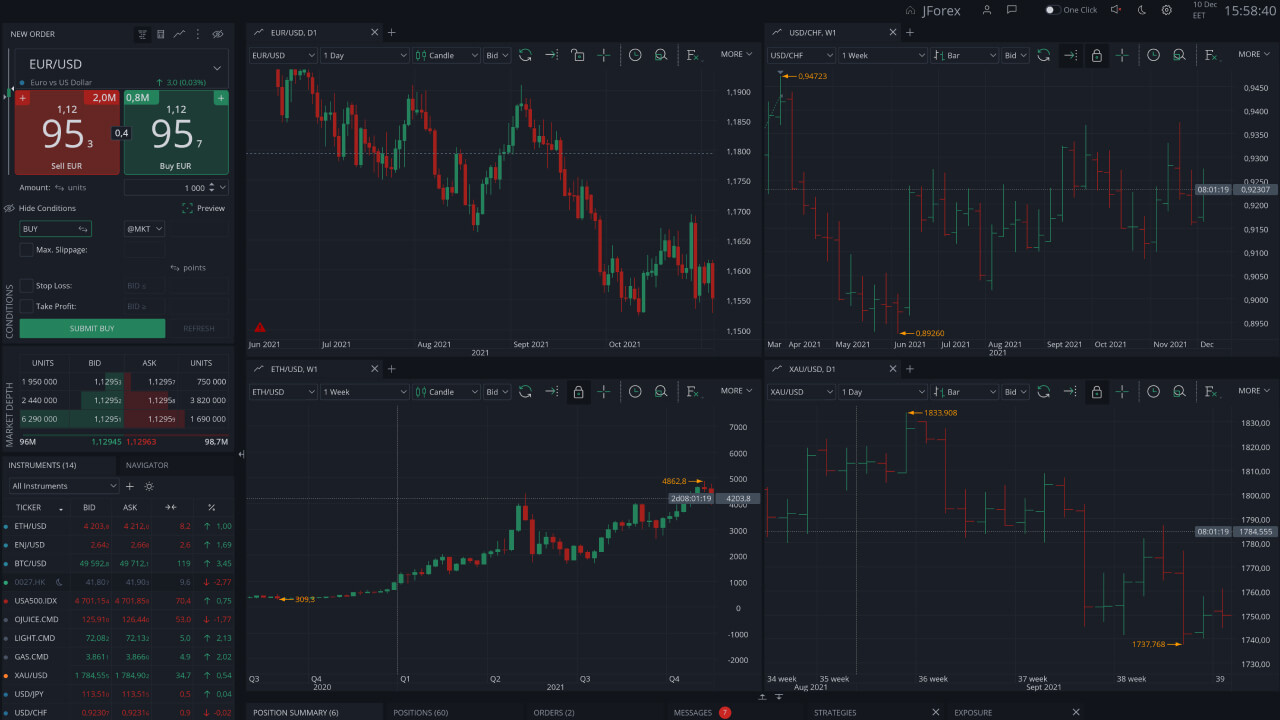
You’ll notice this difference in volatility capture: Dukascopy logs up to 1,000 ticks per minute on major pairs like EUR/USD, while MT4 typically caps at 100-200 due to broker-side processing. Traders using Expert Advisors benefit from this accuracy, as it reduces slippage simulations in strategies.
This transparency stems from Dukascopy’s Swiss-regulated model, avoiding the requotes common in retail MT4 environments.
What sets it apart even more is the free historical tick data download, spanning 15+ years without interpolation.
- Dukascopy offers raw, timestamped ticks verifiable against independent sources
- MT4 brokers filter data for platform efficiency, leading to 5-10% discrepancy in high-frequency tests
- JForex widgets embed this data directly, enabling real-time comparisons via API calls
What Rare CFD Instruments Are Exclusive to Dukascopy Widgets?
Dukascopy widgets feature oil futures CFDs (like Brent and WTI) and metals like platinum with micro-lot sizing down to 0.01 lots, which few retail platforms match. Standard brokers limit CFDs to major indices or gold/silver at minimum 0.1 lots, but Dukascopy’s ECN depth supports precise exposure to niche contracts tied to live exchange data.
For example, their USOIL CFD mirrors NYMEX futures with tight 0.2 pip spreads, ideal for scalpers, unlike diluted retail versions elsewhere. Metals CFDs include palladium and rhodium, rare in free widgets, with leverage up to 1:200 and no dealing desk interference.
These instruments shine in widgets for multi-asset dashboards, where you can overlay forex pairs against commodity CFDs for correlation analysis.
Traders appreciate the SWAP-free options on these, reducing overnight costs compared to competitors.
This exclusivity comes from Dukascopy’s direct market access, making widgets a go-to for diversified portfolios.
- Oil futures CFDs update every 100ms with volume data, absent in most free tools
- Metals like platinum offer 1:100 leverage with 2-decimal pricing for fine-tuned positions
- Widgets allow custom alerts on these, integrating with MT5 for automated hedging
Can Dukascopy Widgets Enhance Forex Expert Advisors in MT5?
Yes, Dukascopy widgets boost MT5 Expert Advisors by streaming live JForex tick data through plugins like Tick Data Suite or custom bridges, enabling hyper-accurate backtesting beyond MT5’s native feeds. For EA Store users, this means importing Dukascopy’s 99.99% quality data to test strategies on real ECN conditions, cutting optimization errors by up to 30%.

The process involves embedding the widget’s JavaScript API into MT5 charts or using ZeroMQ for real-time feeds, allowing EAs to react to genuine depth-of-market info. This is particularly useful for high-frequency algos, where MT5’s broker data lags.
Plugins from the EA community, such as Dukascopy Tick Importer, automate historical data sync, supporting multi-timeframe analysis.
Rhetorical question: Why settle for simulated ticks when widgets deliver live validation?
- Install the free JForex API bridge to pipe data into MT5 Strategy Tester
- EAs gain from sub-second execution modeling, improving live performance metrics
- Combine with MT5’s MQL5 for hybrid systems monitoring CFDs alongside forex
What Are the Limitations of Free Dukascopy Widgets vs Paid Alternatives?
Free Dukascopy widgets cap historical data at 6 months for non-clients and lack Level II order book depth, unlike paid TradingView Pro ($15/month) or Bloomberg terminals ($2,000+/month) that offer years of tick history and full DOM. While customizable, free versions refresh every 5-10 seconds on CFDs, trailing TradingView’s sub-second updates.
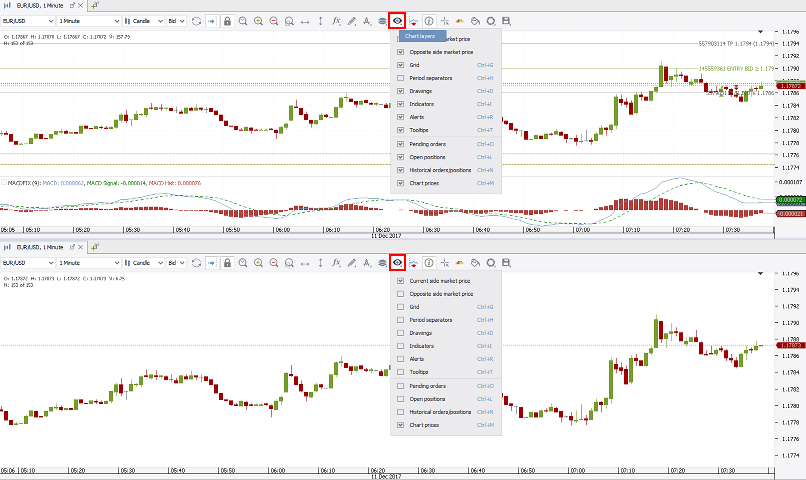
Dukascopy shines in zero-cost ECN transparency but misses Bloomberg’s news integration or TradingView’s 100+ indicators. For retail traders, this suffices for basic overlays, yet pros need paid tiers for export limits (free: 1MB/day vs unlimited).
Upgrade paths include Dukascopy’s demo account for extended history, bridging some gaps without full subscription costs.
How does this impact EA development? Free widgets handle live signals well but falter on long-term backtests.
- Data history limited to recent periods, requiring account login for 10+ years
- No native mobile push notifications, unlike TradingView’s app ecosystem
- Lacks advanced scripting, where Bloomberg excels in API volume handling
