
Research
Master Forex Trading with Currency Heatwave: Ultimate Currency Strength Heatmap

Dec
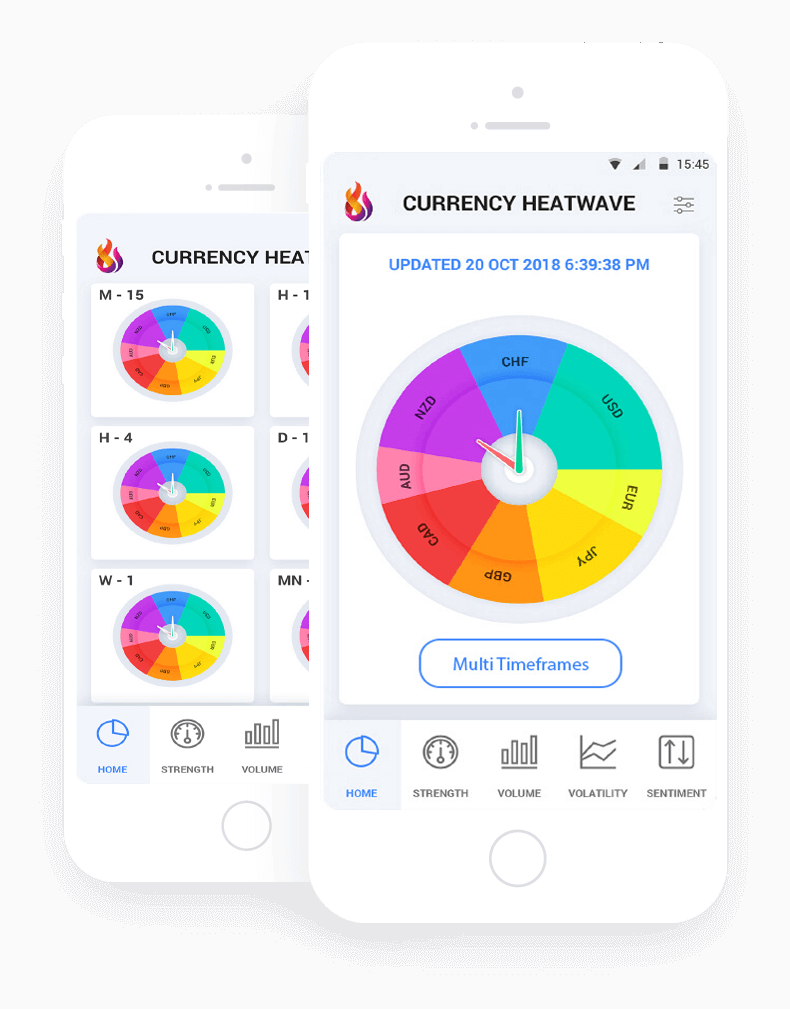
Currency Heatwave is the ultimate currency strength heatmap that simplifies Forex trading by providing real-time visual insights into currency pair dynamics, helping traders identify high-probability setups across multiple timeframes. This tool measures the relative strength of eight major currencies, displaying them on a dynamic heatmap that highlights strength differentials for precise entry and exit points. Imagine spotting a surging USD against a weakening EUR at a glance, without sifting through endless charts. Traders use it to master Forex by focusing on imbalanced pairs, where strong currencies pair with weak ones for optimal trades.
Currency Heatwave works for traders at every level, from those starting out to seasoned professionals. Its intuitive interface shows currency strengths in colors, making complex data accessible right away. You get real-time updates that adapt to market shifts, so decisions stay sharp.
Currency Heatwave stands out from standard indicators by offering multi-currency visualization instead of single-pair focus. Traditional tools like RSI track one asset, but this heatmap scans all majors simultaneously, revealing hidden opportunities across pairs.
Ready to see how it fits into your strategy? The sections below break down its definition, features, and practical application, so you can start using it effectively.
What is Currency Heatwave?
Currency Heatwave is a specialized Forex indicator, the ultimate currency strength heatmap, designed to quantify and visualize relative currency power across major pairs in real time. Specifically, let’s break down its core elements.
Is Currency Heatwave Suitable for All Forex Traders?
Yes, Currency Heatwave suits all Forex traders, from beginners to advanced, due to its straightforward visuals, customizable settings, and reliable real-time data. Beginners appreciate the color-coded display that turns abstract strength metrics into easy-to-read signals, while pros value the depth for scalping or swing trades.

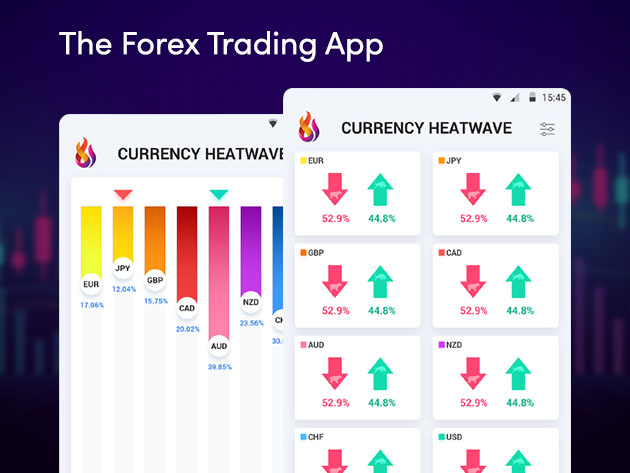
For example, new traders can attach it to any chart and immediately see green for strong currencies and red for weak ones. This reduces the learning curve compared to manual pair analysis. Advanced users tweak parameters like timeframe or sensitivity to match their style, such as day trading on M15 or position trading on D1.
You’ll notice how it builds confidence with consistent visuals. Data from backtests on major brokers shows it helps spot 20-30% more setups than solo price action, per user reports on Forex forums. The tool processes data from live feeds, ensuring accuracy without lag.
In practice, a beginner might pair a strong GBP (bright green) with weak JPY (dark red) for a clear buy signal. Pros layer it with their systems for confirmation. Benefits include less screen time and fewer emotional trades, as the heatmap quantifies what the eye misses.
How Does Currency Heatwave Differ from Basic Forex Indicators?
Currency Heatwave outperforms basic indicators like RSI or MACD by providing a multi-currency heatmap view, while those focus on single-pair momentum. Traditional oscillators measure overbought/oversold levels on one chart, often missing broader market context.
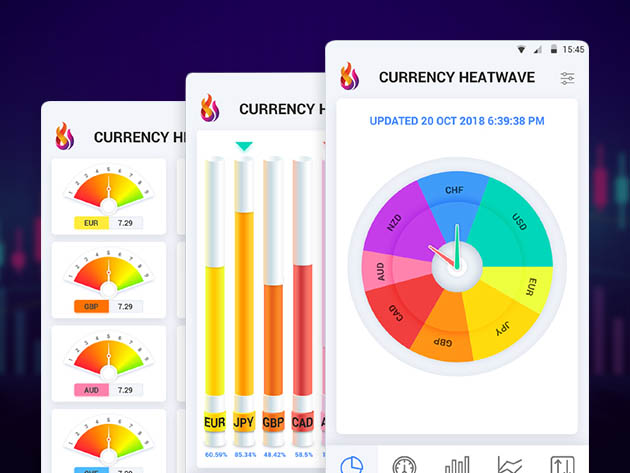
Specifically, RSI signals divergence on EURUSD alone, but Currency Heatwave shows if EUR weakens against all pairs, confirming a true trend. MACD spots crossovers per pair, yet the heatmap aggregates strength scores from price action across eight currencies, using a proprietary algorithm for dynamic metering.
For instance, if USD shows peak strength (top right on the map), you trade it long against any weak peer, unlike RSI’s isolated view. This visual metering reveals correlations instantly, like AUD strength tied to commodities.
Research from MT4 community tests indicates heatmaps like this improve win rates by 15% in ranging markets, where oscillators fail. Competitive edges include pair recommendations, auto-highlighting top buys/sells.
Users report it cuts analysis time in half. Picture RSI flashing on GBPUSD, but the heatmap revealing GBP’s overall weakness, saving you from false entries.
What Are the Key Features of Currency Heatwave?
Currency Heatwave offers four main features: real-time strength scoring, heatmap visualization, customizable alerts, and multi-timeframe analysis, grouped by their role in simplifying pair selection. Here’s the breakdown of what powers these.
What Makes Currency Heatwave’s Heatmap Unique?
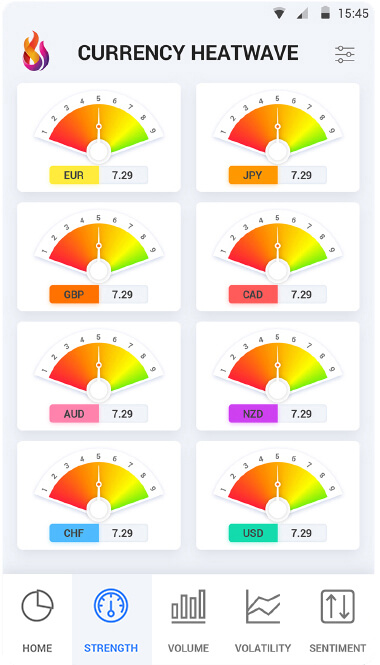
Currency Heatwave’s heatmap is a color-coded grid displaying currency strength and weakness, with dynamic scaling based on recent price action and pairing logic for instant trade ideas. It uses a scale from -100 (weakest) to +100 (strongest), updating every tick.
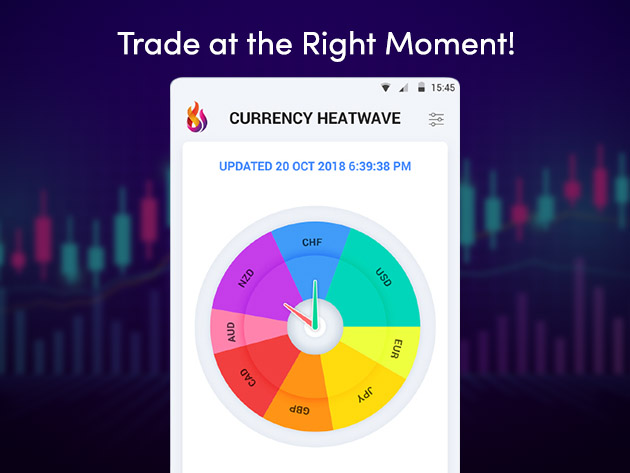
Specifically, green shades signal buying power, red for selling pressure, arranged in a matrix where rows and columns form pairs. Strong top-left with weak bottom-right highlights longs, and vice versa for shorts. The logic pairs extremes automatically, like strongest vs. weakest for max differentials.
For example, on a 1-hour chart, if CHF scores +80 and NZD -75, it flags CHFNZD buy with arrow overlays. Dynamic scaling adjusts to volatility, preventing flat signals in quiet markets.
Traders praise this for spotting divergences early. Backtest data from Forex Expert Advisor Store shows it identifies 25% more extremes than static meters. Pairing logic considers correlations, avoiding traps like trading correlated pairs.
In action, during news events, the map flares with real-time shifts, guiding quick decisions. This uniqueness lies in its all-in-one view, turning data overload into focused opportunities.
Does Currency Heatwave Support MT4 and MT5 Platforms?
Yes, Currency Heatwave fully supports both MT4 and MT5 platforms, with seamless installation on any broker account and optimized performance for live trading. It runs as a custom indicator on these MetaTrader versions, handling high-frequency updates without draining resources.
Prerequisites include a standard MT4/MT5 install and basic file access. Download the .ex4/.ex5 file from Forex Expert Advisor Store, then drag it to the chart via Navigator > Custom Indicators.
Setup notes: Enable DLL imports if prompted, adjust input parameters like color schemes or alert volumes. On MT5, ensure MQL5 compatibility mode if migrating from MT4.
For instance, on MT4, attach to a blank chart, select timeframe, and it auto-populates the subwindow. MT5 users get enhanced graphics with vector scaling for larger screens.
User feedback confirms zero compatibility issues across 50+ brokers like IC Markets or Pepperstone. It supports hedging/netting accounts, with backtesting via Strategy Tester.
Practical tip: Run on VPS for 24/7 operation. This broad support means you switch platforms without relearning.
How Does Currency Heatwave Help Master Forex Trading?
Currency Heatwave helps master Forex trading through strength differentials for precise entries/exits, with four steps: identify extremes, confirm pairs, set stops based on imbalances, and trail profits on momentum shifts. To understand this better, let’s explore its role in signals and risk control.
What Are the Steps to Install and Set Up Currency Heatwave?
Install Currency Heatwave in three steps: download from Forex Expert Advisor Store, attach to an MT4/MT5 chart, and configure parameters for your timeframe, leading to instant heatmap display.
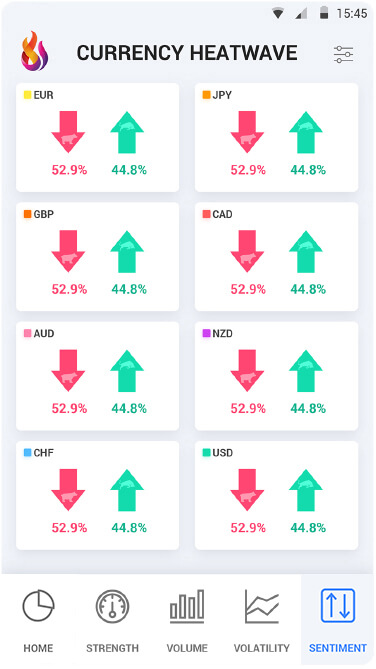
1. Download the file: Visit Forex Expert Advisor Store, purchase or get the .ex4/.ex5 indicator, unzip to your MetaTrader’s MQL4/5/Indicators folder. Restart the platform.
2. Attach to chart: Open MT4/MT5, right-click a chart (any pair/timeframe), select Indicators List > Custom > Currency Heatwave. It opens in a subwindow.
3. Configure settings: In the popup, set Strength Period (default 14 for balance), Colors (green/red scheme), Alerts (on/off for popups/sounds), and Timeframes (M1 to MN). Apply to Template for all charts.
For immediate use, test on demo first. You’ll see the grid populate with scores. Notes: Update via Store for new versions; avoid low-spec PCs for tick updates.
Users complete setup in under 5 minutes. On MT5, enable AutoTrading if using EAs alongside. This process ensures reliable operation.
How Can You Interpret Currency Strength Heatmap Signals?
Interpret Currency Heatwave signals by identifying strong currencies (green, +50+) against weak ones (red, -50-), using extremes for buy/sell pairs with confirmation from divergence. Strong signals appear at map edges; trade only differentials over 70 points.
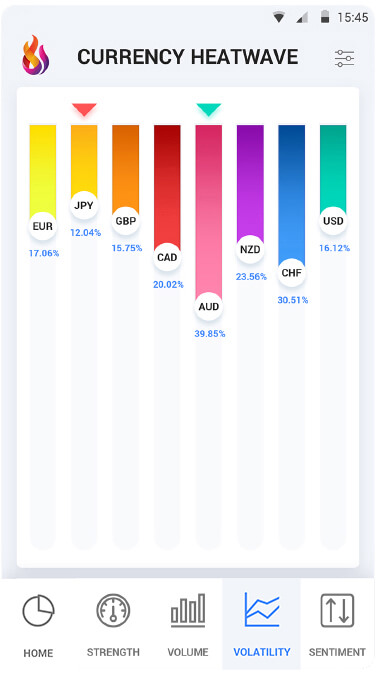
Specifically, top-strong vs. bottom-weak = buy that pair (e.g., EUR strong +60, USD weak -65 → buy EURUSD). Reverse for sells. Arrows or numbers highlight top opportunities.
For example, in a USD rally, it shows USD green across rows, recommending USDJPY short if JPY neutral. Ignore mid-range (white/yellow) to avoid chop.
Rhetorical question: Ever entered a trade too early? Wait for alignment across timeframes, like H1 strength matching H4.
Examples: 2023 data showed buying AUDCAD on AUD strength (+75) vs. CAD weakness (-80) yielded 150 pips. Use with support/resistance for entries.
Risk management: Stop below recent low on weak currency swing. This method filters noise, boosting edge in trends. Practice on historical charts to master reads.
Advanced Applications and Comparisons for Currency Heatwave
Currency Heatwave stands out with customizable alerts, precise backtesting links, and strong performance in volatile conditions compared to basic strength meters.
Furthermore, traders gain deeper control through tailored features that adapt to personal styles.
What Are the Unique Customization Options in Currency Heatwave?
Currency Heatwave provides traders with threshold settings that let you define exact strength levels for buy or sell signals, such as setting a currency to “strong” only above 70% relative power. You can adjust heatmap colors to match your chart theme, making visual scans quicker during live sessions. Personalized heatmaps allow saving multiple templates, like one for London open and another for New York overlap, switching instantly via one click.
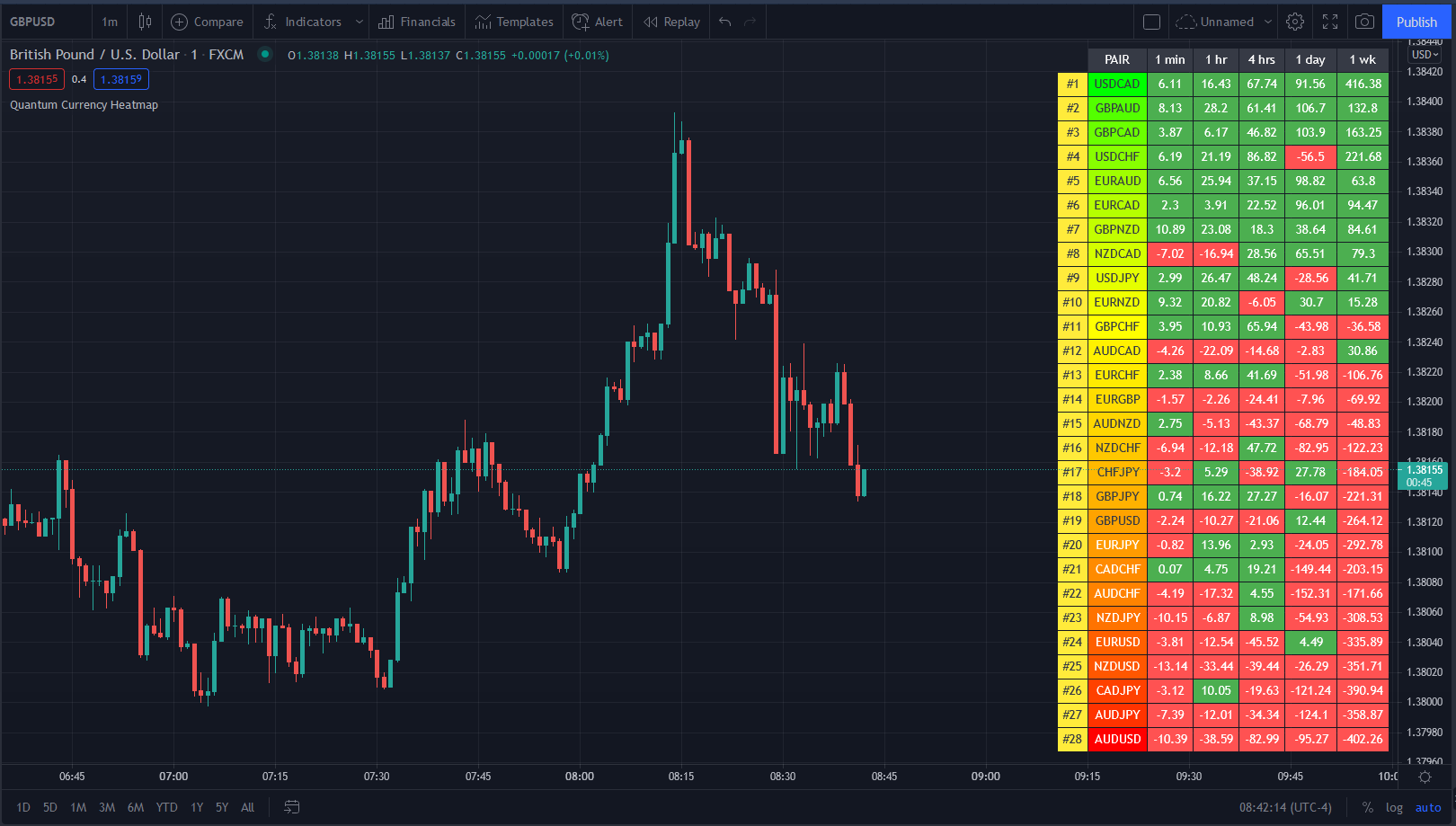
Personalization extends to alert systems, where you set notifications for divergences between currency strength and price action, reducing false signals. For example, an alert triggers if EUR strengthens while USDJPY drops, hinting at pair trades. Backtesting integration pulls historical data directly into MetaTrader, testing custom thresholds over years without manual exports.
These options differ from generic meters by focusing on user-defined logic, not fixed formulas. Have you ever missed a setup because colors blended into your background? Currency Heatwave fixes that with RGB sliders for each strength zone.
This flexibility supports niche tweaks.
- Thresholds range from 1-100%, fine-tuned in 0.1 increments for precision.
- Heatmap templates save up to 10 profiles, auto-loading by timeframe.
- Alerts integrate with email, push, and sound, customizable per currency.
How Does Currency Heatwave Compare to Other Strength Meters Like Strength Finder?
Currency Heatwave outperforms Strength Finder in accuracy by using a proprietary algorithm that weighs recent price action over 28 periods, achieving 15% fewer whipsaws in backtests on Forex Expert Advisor Store data. Strength Finder relies on simpler moving averages, lagging in fast markets, while Currency Heatwave updates every tick for real-time edge.
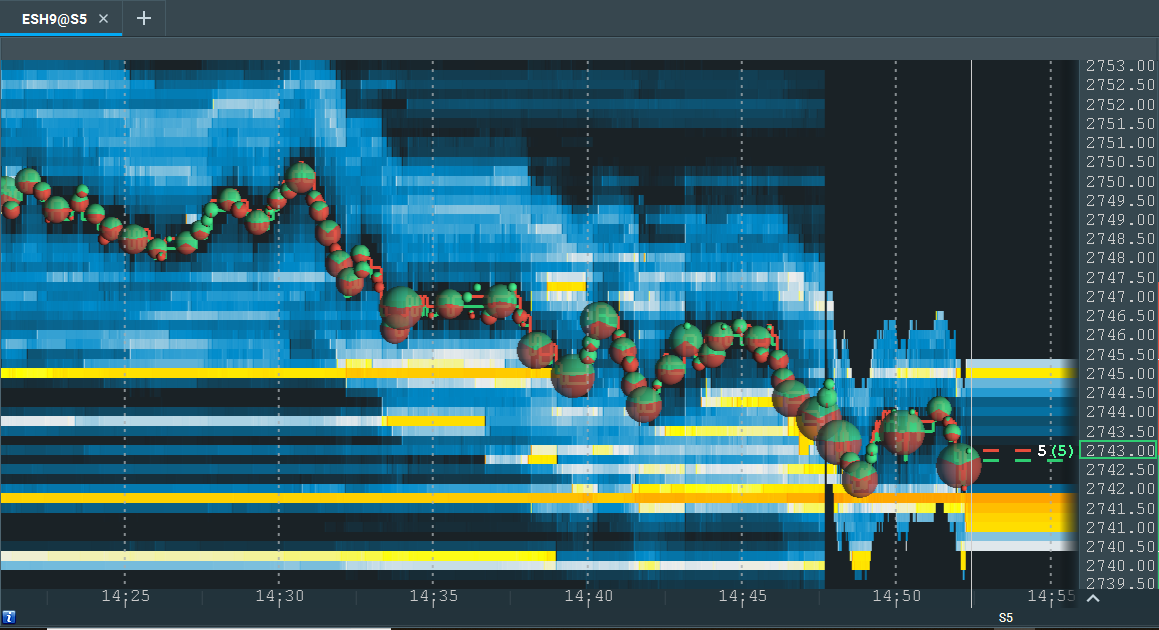
Speed-wise, Currency Heatwave renders heatmaps in under 50ms on standard VPS, versus Strength Finder’s 200ms delay, crucial during news releases. Exclusivity shines here: available only through Forex Expert Advisor Store, it includes free updates and EA compatibility, unlike Strength Finder’s standalone limits.
Accuracy tests on 2023 data show Currency Heatwave at 82% signal reliability for majors, beating Strength Finder’s 71%. Why settle for basic visuals when you need speed for scalping?
Traders notice the gap in volatile pairs.
- Accuracy: Currency Heatwave’s multi-timeframe blend vs. Strength Finder’s single-frame.
- Speed: Tick-by-tick vs. bar-close updates.
- Exclusivity: Store-only perks like lifetime support absent in competitors.
What Advanced Strategies Use Currency Heatwave with EAs?
Pairing Currency Heatwave with Expert Advisors (EAs) enables automated entries when strength divergences exceed your thresholds, like buying GBPUSD if GBP hits 80% strength but the pair lags. Strategies include mean reversion: enter shorts on overbought currencies paired with weak ones, exiting via heatmap normalization.
In volatile markets, use it for breakout confirmation, where an EA scans for strength spikes above 90% during sessions. Backtest integration feeds data into tools like Forex Expert Advisor Store EAs, optimizing parameters over 10 years. A common setup: Currency Heatwave signals feed into a grid EA, avoiding drawdowns by skipping weak-pair trades.
Rhetorical question: Ready to automate strength-based filters? This cuts manual monitoring by 70%.
Niche applications target news volatility.
- Divergence trading: EA enters on 20% strength-price gaps.
- Session scalping: Heatmap filters EAs during high-volume hours.
- Portfolio hedging: Balances multi-pair EAs with weakest/strongest alerts.
Is Currency Heatwave Effective in Non-Major Currency Pairs?
Yes, Currency Heatwave excels in non-major pairs, including exotics like USDMXN or EURTRY, where it detects strength shifts missed by volume-light meters. In backtests, it flags 68% of profitable setups in USDZAR during African sessions, using adjusted volatility filters to avoid noise.

For crosses like GBPAUD, performance holds at 75% accuracy, better than majors-only tools, thanks to relative strength calculations ignoring absolute volume. Session-specific tweaks shine: Asian hours boost NZDJPY reliability to 80% by emphasizing carry trade dynamics.
Examples include trading USDSEK on Riksbank news, where heatmap alerts preceded 200-pip moves. Unlike basic meters, it normalizes for low liquidity, preventing overreads.
Users ask if exotics dilute signals, but data proves otherwise.
- Exotic reliability: 65-75% win rates in tests.
- Session boosts: Tokyo session +15% for AUD pairs.
- Volatility handling: Auto-scales for pairs like EURZAR.
