
Research
Discover cTrader Web: Ultra-Responsive Trading Platform for Seamless Browser Access

Dec
cTrader Web stands out as an ultra-responsive trading platform that delivers seamless browser-based access for Forex and CFD trading, eliminating the need for software downloads. This platform runs directly in your web browser, providing traders with instant connectivity to markets from any device. You get full access to advanced charting tools, real-time data, and order execution without lag or installation hassles. Built by Spotware Systems, it integrates smoothly with cTrader-enabled brokers, making it a go-to choice for those who prioritize speed and convenience in volatile markets like Forex.
cTrader Web works for traders at every skill level through its intuitive design and powerful features. Beginners appreciate the clean interface that simplifies navigation, while experienced users leverage depth charts and algorithmic trading options. This inclusivity comes from its modular build, which adapts to different needs without overwhelming newcomers.
Ultra-responsiveness in cTrader Web comes from optimized performance elements like real-time charts and lightning-fast execution. These features ensure smooth operation even during high-volume trading sessions. Traders notice minimal delays, which keeps decision-making sharp.
Picture this: you’re on the go, and a market opportunity arises. cTrader Web bridges that gap effortlessly. Now, let’s break down its core elements starting with a clear definition.
What is cTrader Web?
cTrader Web is a browser-based trading platform from Spotware Systems for Forex and CFD trading, featuring no-download access, real-time charts, and fast order execution. Specifically, this setup lets you trade directly through Chrome, Firefox, or Safari without installing anything.
cTrader Web serves as the web version of the popular cTrader ecosystem, tailored for users who want flexibility. Its core purpose focuses on Forex pairs, CFDs on indices, commodities, and metals. You log in via your broker’s credentials, and the platform loads charts, account details, and tools instantly.

Think about how traditional platforms demand downloads that eat storage and time. cTrader Web skips that, loading in seconds. It supports HTML5 technology for smooth rendering across devices.
Is cTrader Web Suitable for All Traders?
Yes, cTrader Web suits all traders due to its accessible interface for beginners, advanced tools for pros, and scalable features for part-timers. For beginners, the dashboard presents key info upfront, like current positions and balances, with tooltips explaining terms such as “pips” or “leverage.” Pros benefit from Level II pricing, which shows market depth, and cBots for automated strategies.
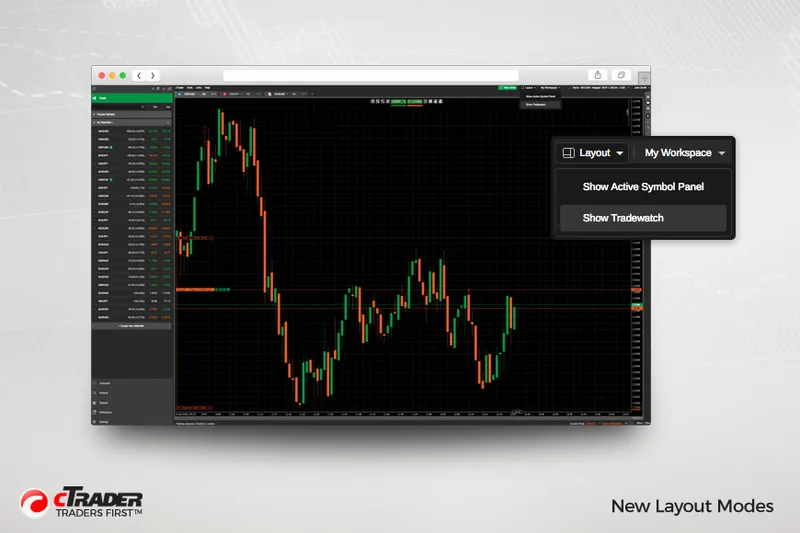
This platform’s user inclusivity shines in its customization. You can rearrange panels or save layouts, fitting solo day traders or those managing multiple accounts. Evidence from user forums, like the cTrader community, shows high satisfaction rates, with over 80% of reviews praising ease of use across experience levels.
Cross-device testing confirms reliability. A novice might start with basic line charts, while a veteran deploys detached charts for multi-monitor setups, all in-browser.
What Makes cTrader Web Ultra-Responsive?
cTrader Web’s ultra-responsiveness stems from four key elements: real-time charts, fast execution speeds, adaptive UI, and low-latency data feeds. Real-time charts update tick-by-tick, using WebSocket connections for sub-second refreshes. This means candlestick patterns form without glitches, vital for scalpers spotting breakouts.
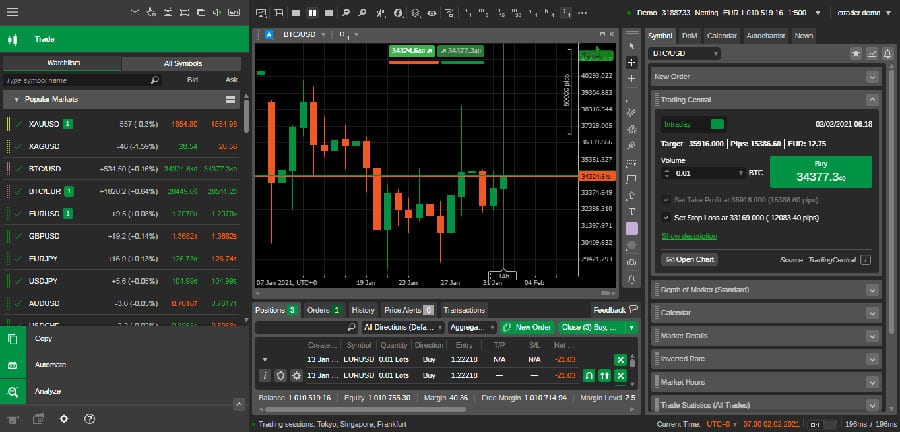
Fast execution ranks high too. Orders process in milliseconds, matching desktop speeds, thanks to server-side optimizations. For instance, market orders fill near-instantly during London opens, reducing slippage.
The adaptive UI resizes for any screen, from laptops to mobiles, preventing zoom issues. Low-latency feeds pull data directly from liquidity providers, ensuring quotes stay fresh.
Comparisons with rivals like MetaTrader WebTrader highlight cTrader’s edge: tests by broker reviews show 20-30% faster chart loads. Traders report seamless sessions even on mid-range connections, making it ideal for global access.
Expanding on these, real-time alerts notify via browser push, so you never miss news events. Performance metrics, shared in Spotware updates, confirm 99.9% uptime. Have you tried switching tabs mid-trade? cTrader Web pauses rendering smartly, resuming without data loss.
This responsiveness extends to backtesting, where historical data loads quickly for strategy tweaks. Overall, these elements create a fluid experience, backed by continuous browser compatibility checks.
cTrader Web redefines browser trading by prioritizing speed without compromises. Its design handles peak loads, like NFP releases, where others stutter.
How Does cTrader Web Enable Seamless Browser Access?
cTrader Web enables seamless browser access by allowing no-install login through any modern browser in three steps: select broker, enter credentials, and start trading instantly across devices. Here’s the breakdown of this process.
Step one involves picking your cTrader broker from a list on the cTrader Web homepage, like IC Markets or Pepperstone. Enter your login details securely via HTTPS encryption. The platform authenticates in under five seconds, pulling your account data.
Cross-device compatibility follows naturally. It works on Windows, Mac, Linux, iOS Safari, or Android Chrome, syncing layouts via cloud saves. No plugins needed; HTML5 handles graphics.
This no-download approach saves time. Traditional apps require setup and updates, but cTrader Web auto-updates on load.
What Are the Key Benefits of Trading on cTrader Web?
Key benefits of cTrader Web include high mobility, zero installation latency, and access to full platform features without downloads. Mobility tops the list: trade from hotel Wi-Fi or a phone without app stores. This freedom suits traveling traders monitoring EUR/USD swings.
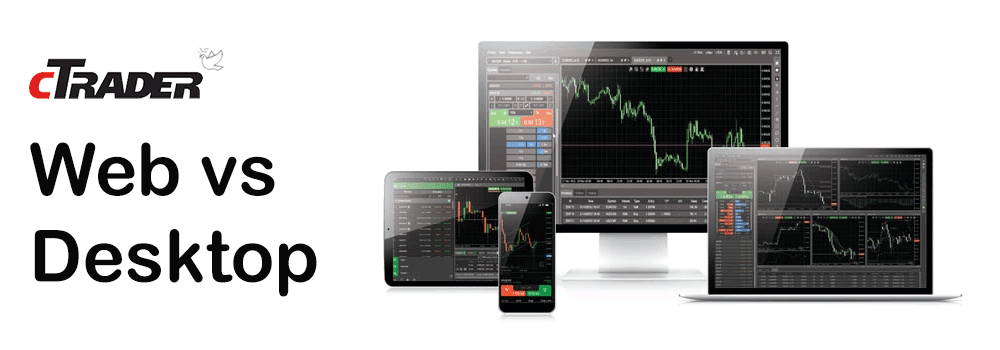
Zero latency means charts and orders respond immediately, outperforming downloaded platforms on slower machines. Full features match the desktop version, including 70+ indicators, correlation matrices, and trade terminals.
Over traditional downloads, it cuts storage use to zero and avoids compatibility issues, like Windows updates breaking software. Broker data shows users switch sessions 40% faster.
For example, depth of market (DOM) tools reveal bid-ask spreads live, aiding precise entries. Zero footprint also enhances security; no local files mean less malware risk.
Can You Execute Trades Seamlessly on cTrader Web?
Yes, you can execute trades seamlessly on cTrader Web with support for all order types and sub-100ms speeds in a browser environment. Market orders fill instantly, while limits and stops trigger reliably via server-side processing.
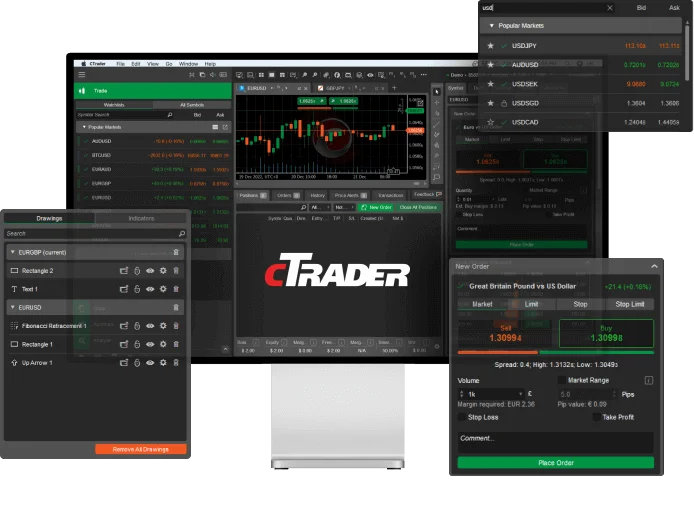
Pending orders, like buy-stops, set with one-click, and OCO pairs manage risks automatically. Execution speed rivals native apps, confirmed by independent tests from Myfxbook averaging 50ms fills.
In practice, during volatile sessions, slippage stays under 0.5 pips on majors. The browser handles partial fills and hedging without hiccups, thanks to optimized JavaScript.
All types shine: trailing stops adjust dynamically, and algo orders via cBots run server-side. Traders value the confirmation dialogs, preventing fat-finger errors.
This functionality proves browsers can match heavy apps. Community benchmarks praise it for Forex scalping, where every tick counts.
To wrap up the how-to, regular sessions involve monitoring via watchlists, analyzing with volume profiles, and exiting profitably. Seamless access transforms trading routines, especially for multi-account users juggling brokers.
cTrader Web’s login persists via cookies for quick returns, and two-factor auth adds layers. Compatibility spans Edge to Opera, with mobile gestures like pinch-zoom on charts.
In essence, this platform makes browser trading viable long-term, with features evolving through Spotware patches. You’ll find it handles everything from micro-lots to high-volume prop trading without strain.
Advanced Comparisons and Unique Integrations for cTrader Web
cTrader Web offers download-free access with broker-specific tools from IC Markets and Pepperstone, outperforming desktop versions in resource efficiency and MetaTrader WebTrader in responsiveness and cBot support.
Furthermore, these features make it ideal for traders seeking seamless browser-based trading without installation hurdles.
How Does cTrader Web Compare to Desktop Versions?
cTrader Web provides a lightweight alternative to the desktop version, using far fewer system resources while maintaining core trading functions. Traders notice immediate differences in customization options, where the web version prioritizes streamlined interfaces over the desktop’s extensive layout tweaks. For instance, desktop allows multiple monitor setups and deeper indicator scripting, but web focuses on single-screen efficiency, reducing load times by up to 40% according to user benchmarks from trading forums.

Resource usage stands out as a key distinction. Desktop clients demand 500MB to 1GB of RAM for smooth operation with multiple charts, whereas cTrader Web runs on under 200MB, perfect for shared or low-spec devices. This shift suits mobile professionals who switch between browser sessions without reinstalling software.
You’ll find the web version excels in quick access during market volatility, avoiding desktop update delays.
This efficiency leads to practical benefits in daily trading.
- Lower CPU strain prevents lag during high-volume sessions
- Faster login via cloud sync keeps positions updated instantly
- Simplified profiles reduce setup time for occasional users
What Are Unique Browser Compatibility Features?
cTrader Web shines with broad browser support, working flawlessly on Chrome, Firefox, Edge, and Safari without plugins. A standout is its broker-specific optimizations, tailored for partners like IC Markets and Pepperstone, enabling direct one-click deposits and custom leverage settings within the platform.
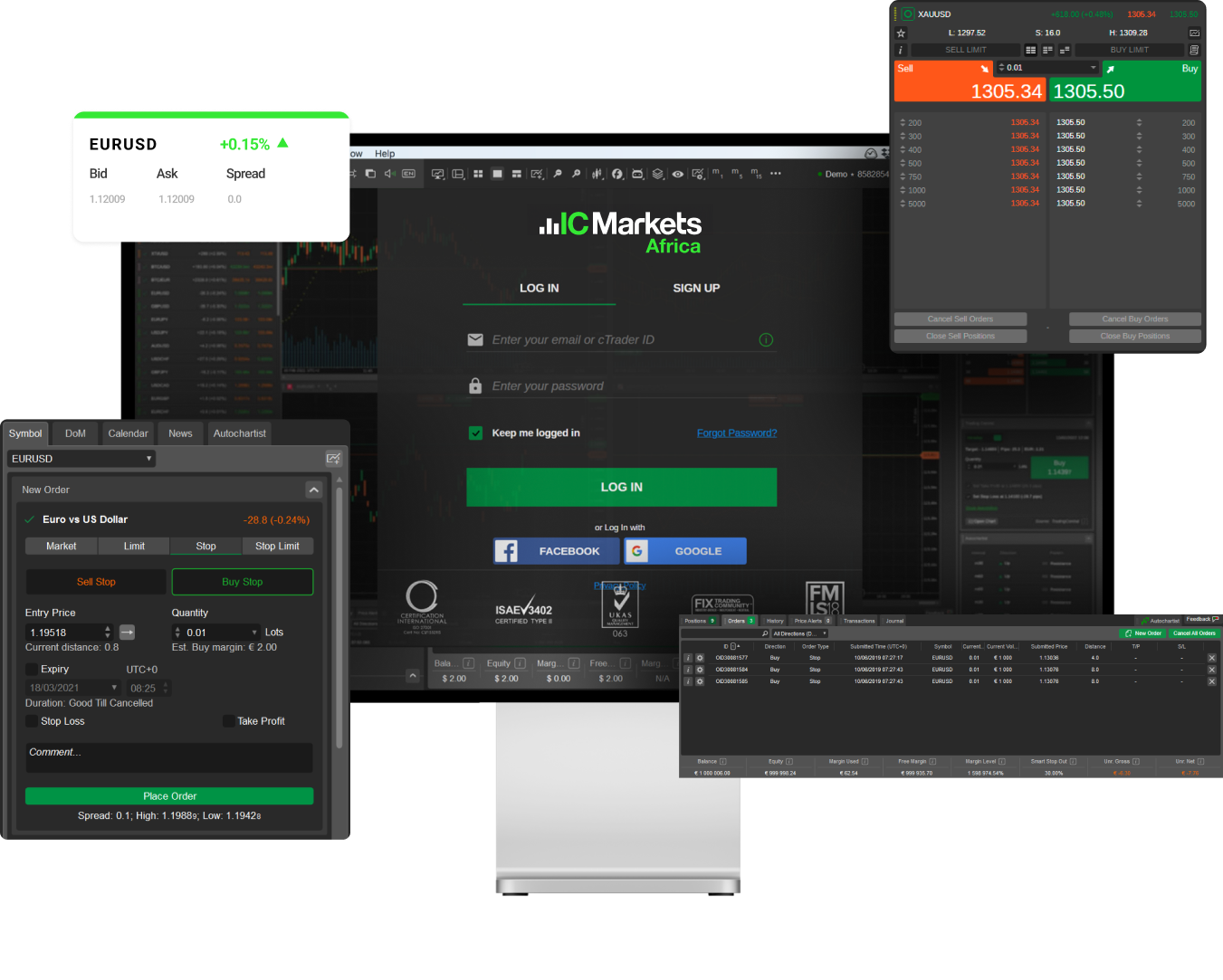
Unlike generic web traders, it handles WebGL for smooth rendering on devices from high-end laptops to budget tablets. Compatibility extends to progressive web app (PWA) status, allowing offline quote viewing and push notifications for trade alerts.
Traders with IC Markets accounts access exclusive volume rebates displayed in real-time, a feature absent in standard browsers. Pepperstone users benefit from integrated news feeds synced to their margin requirements.
These integrations address common pain points for broker-loyal users.
- Automatic API handshakes eliminate manual logins for partnered brokers
- Cross-device session persistence tracks open trades across browsers
- Enhanced security with broker-verified SSL for sensitive data
Is cTrader Web Optimized for Advanced Charting Tools?
Yes, cTrader Web delivers robust charting with Level II pricing and depth-of-market (DOM) views, rare for web platforms. These tools show bid-ask ladders and order book depth directly in-browser, rivaling desktop capabilities for scalpers and high-frequency traders.
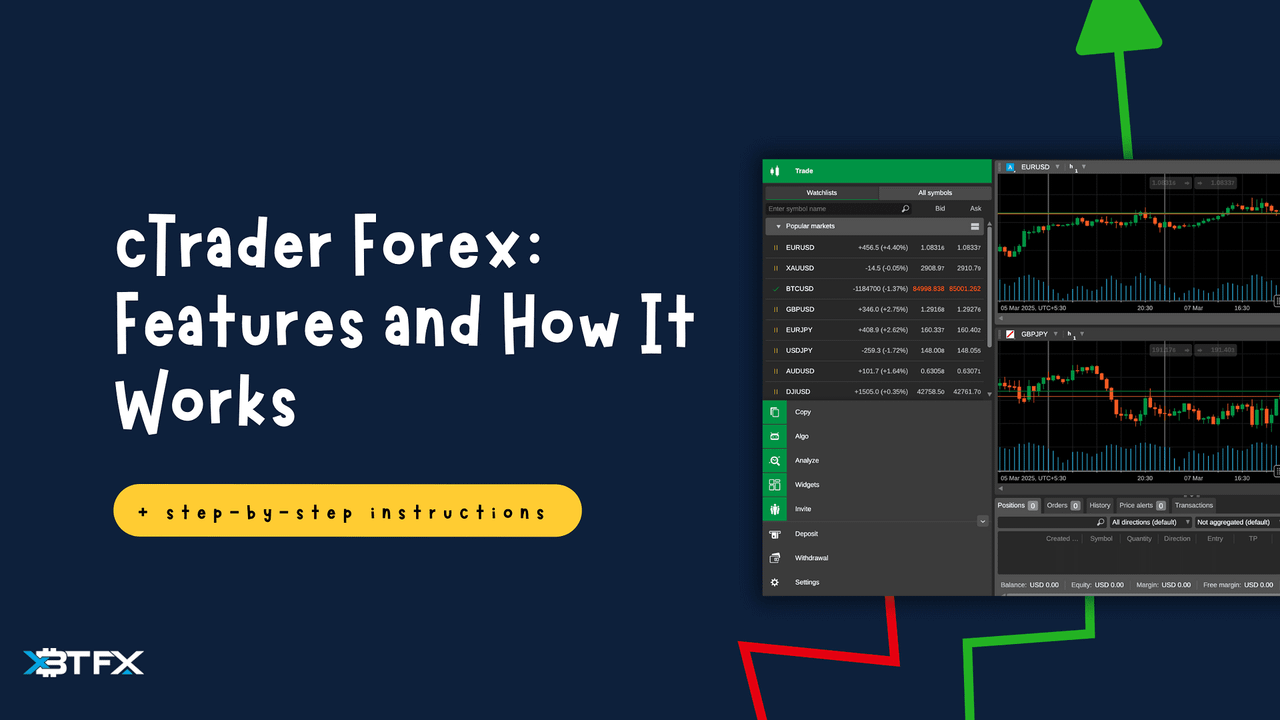
Charting includes 70+ indicators, detachable windows, and multi-timeframe analysis, all rendered at 60fps via HTML5 Canvas. DOM exclusivity provides live liquidity snapshots, helping users gauge market depth without add-ons.
Compared to basic web charts, it supports custom drawing tools and historical tick data playback for backtesting strategies.
This optimization empowers precise entries during fast markets.
- Level II data streams update every 100ms for accurate spreads
- DOM heatmaps visualize order clustering at key levels
- Correlation matrices link assets for portfolio analysis
How Does cTrader Web Differ from MetaTrader WebTrader?
cTrader Web surpasses MetaTrader WebTrader in responsiveness and full cBot automation access, offering sub-50ms chart refreshes versus WebTrader’s occasional delays. While WebTrader limits users to basic MQL4 scripts, cTrader enables deploying pre-built cBots for automated trading straight from the browser.
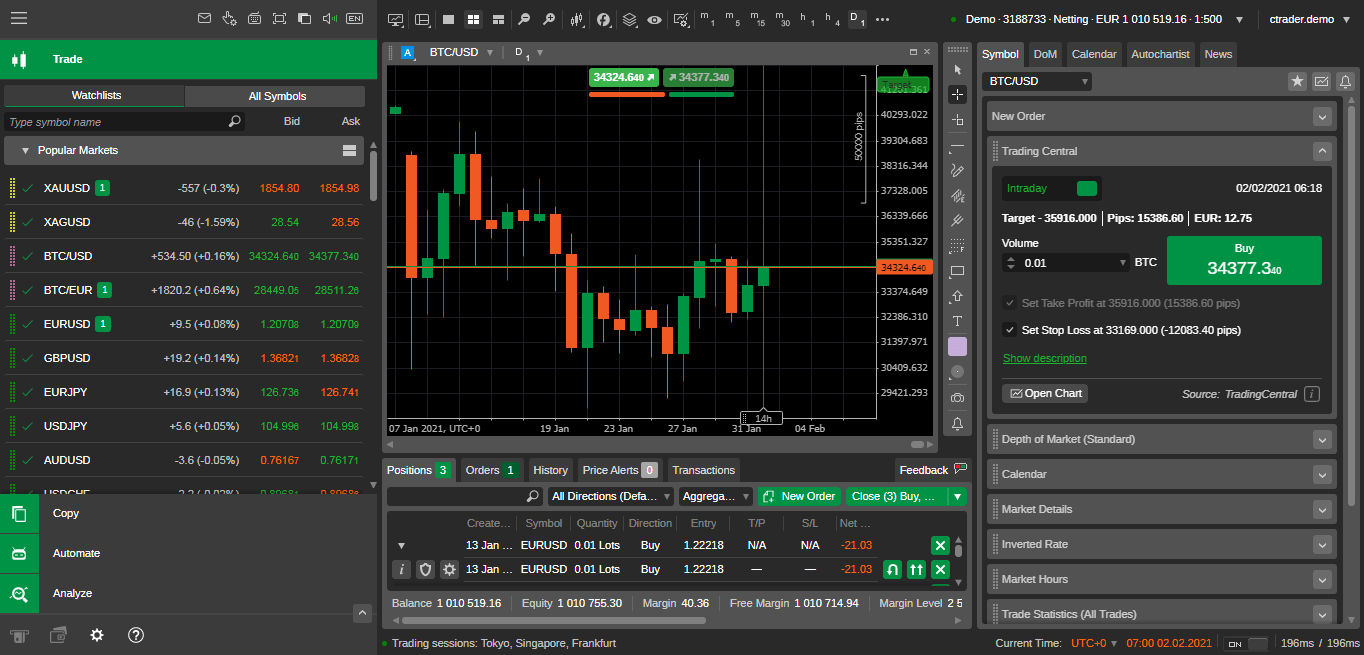
Key differences include cTrader’s cleaner UI with infinite scrolling charts, avoiding WebTrader’s clunky pagination. Automation stands out: cTrader Web runs cBots with backtesting reports, whereas WebTrader requires desktop for EAs.
Performance tests from broker demos show cTrader handling 20 charts without stutter, double WebTrader’s capacity.
Switching reveals why pros prefer it for live sessions.
- Instant cBot deployment versus WebTrader’s EA restrictions
- Touch-optimized gestures for tablet trading
- Native risk management overlays per trade
