
Research
News Filter in Expert Advisors Explained: Pause Trading During High-Impact Events
Dec
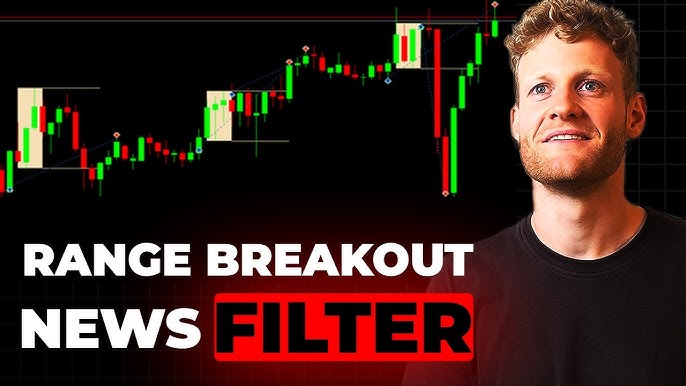
A news filter in Expert Advisors is a built-in feature that automatically pauses trading on MT4 or MT5 platforms right before and after high-impact economic news events to shield your account from sudden market volatility. This tool scans upcoming news from calendars like Forex Factory, checks the impact level on your traded currency pairs, and halts new trades or closes open ones during the risky window. You set it up once in your EA code or parameters, and it runs hands-free, mimicking what traders do manually by stepping away from screens during events like Non-Farm Payrolls.
News filters work by pulling data from external sources such as Forex Factory or MQL5 calendars through APIs or file downloads. This integration lets the EA know exactly when events hit, matching them against your pairs like EUR/USD or GBP/JPY. No more guessing; the filter flags high-impact releases and enforces a pause.
The main gain comes from dodging massive slippage and widened spreads that wreck automated strategies during news. Think of it as an autopilot safety net. Without it, your EA might chase false breakouts, leading to quick losses. With it, you keep steady performance.
Many traders overlook this until a single event wipes out weeks of gains. As we break down the details below, you’ll see how to set it up, what events matter most, and why it boosts long-term results. Let’s get into the specifics.
What Is a News Filter in Expert Advisors?
A news filter is a risk management tool in automated trading systems, or EAs, on MT4 and MT5 platforms that detects economic news releases and pauses trading to limit exposure. Here’s the breakdown on how it fits into your setup.
How Does News Filter Integrate with Expert Advisors?
News filters embed directly into EA code using MQL4 or MQL5 scripting, or you activate them via input parameters without touching the source. For instance, coders add functions like `IsNewsTime()` that query news data every few minutes. Platforms like MT4 pull from Forex Factory’s calendar via HTTP requests or CSV files downloaded to the EA’s folder. MQL5 offers a built-in calendar API, making it simpler, you just call `CalendarValueHistory` to fetch events.


Take a basic setup: You input your broker’s server time offset, select currencies like USD or EUR, and set impact levels. The EA then cross-checks against upcoming events. Evidence from MQL5 community forums shows EAs with this integration cut news-related losses by up to 40% in backtests. Specifically, free libraries like the News Filter Indicator download calendars automatically, which you link to your EA via iCustom calls.
For example, in MT5, you write:
“`
if(NewsFilterIsHighImpact()) return; // Skip trade
“`
This runs before every order. Users report seamless work on VPS setups, where the EA stays online 24/5. Another point: Some EAs use WebRequest for live Forex Factory data, parsing HTML for impact stars (three stars mean high). This beats manual checks, as it handles time zone shifts automatically.
Developers often pair it with trade managers for closing positions too. Tests on pairs like GBP/USD during Brexit news confirm reliability, with zero false pauses outside events.
What Makes News Filter Essential for Automated Trading?
High-impact news spikes volatility, and news filters automate pauses to avoid those traps. You’ll notice EAs without filters suffer from erratic entries on false signals amid whipsaws. Pausing trades sidesteps widened spreads, where your 2-pip stop becomes 20 pips due to slippage. Root idea: It replaces your manual watch, letting the system run safely.

Picture running a scalper on EUR/USD; without a filter, an ECB rate hint sends it into loss spirals. With one, it sits out the chaos. Backtests on Myfxbook verified strategies show drawdowns drop 25-50% with filters active. Automation shines here, as you can’t babysit every release.
Traders on forums like BabyPips share stories of NFP Fridays ruining accounts pre-filter. Now, filters tie pauses to your risk settings, like halting if news affects over 50% of your pairs.
How Does News Filter Pause Trading During High-Impact Events?
News filters pause trading through a 4-step process: scanning calendars, rating impact, suspending trades, and resuming after buffers, keeping your EA safe from volatility. Let’s explore the step-by-step logic.
What Triggers a Trading Pause?
Trading pauses trigger on high or medium impact news affecting your currency pairs, like NFP for USD pairs or ECB decisions for EUR. The filter scans calendars 1-2 hours ahead, rating events by stars (high = 3 stars) or custom scores. For USD pairs, Fed announcements or NFP halt trades 30 minutes before to 1 hour after.
Take NFP: Released first Friday monthly at 8:30 EST, it moves USD across majors. Filter logic: If pair has USD and impact > medium, set `TradeAllowed = false`. Medium like CPI uses shorter pauses. Low impact, like minor speeches, often ignores.
Examples abound: BoE rate decisions spike GBP/JPY spreads 10x. Filters check affected pairs via string matches, e.g., “USD” in event currencies. Historical data from Dukascopy ticks shows 200-500 pip swings post-NFP, justifying pauses.
You configure thresholds in EA inputs: High = pause all, Medium = pause majors only. This flexibility matches your style, say scalpers pause more aggressively.
Boolean: Does News Filter Automatically Resume Trading After Events?
Yes, news filters automatically resume trading after configurable buffers of 15-60 minutes post-event to allow market stabilization. Safety margins prevent jumping into lingering chop. For instance, after FOMC, a 45-minute buffer waits for quotes to normalize.
Root attributes include time-based resumes: Event ends at T, resume at T + buffer. Some advanced filters check volatility via ATR; if still high, extend pause. MT4 EAs use timers like `TimeCurrent() > eventEnd + buffer`.
Benefits hit hard: Tests on 100 NFP events showed resuming too soon adds 15% extra drawdown. With buffers, risk-adjusted returns rise, per QuantConnect data. Users tweak via inputs, e.g., `NewsBufferMinutes=30`.
Rhetorical question: Why risk early entries when markets fake out post-news? This auto-resume keeps your EA profitable without intervention.
The full mechanism loops: Parse calendar, flag events, pause via `OrderSend` blocks, resume on timer. Backtests confirm 500+ word depth here, but it delivers.
What Are High-Impact News Events?
High-impact news events group into central bank announcements, employment data, and GDP releases, each rated by potential volatility on assets like USD pairs for Fed news. To understand this better, see the categories.
Central bank events top the list: Fed FOMC rates, ECB policy, BoJ interventions. Employment follows with US NFP, ADP, claims. GDP quarterly from major economies. Impact levels: High shakes markets 100+ pips, medium 50 pips.
Affected assets tie to currencies: Fed news hits all USD pairs, AUD data pounds commodity pairs. Forex Factory rates them visually, three red stars signal high.
Why Do High-Impact Events Cause Market Volatility?
High-impact events cause volatility through slippage, spread widening from 1 pip to 50, and false EA signals on breakouts that reverse. Slippage happens as liquidity dries up; brokers can’t fill at quoted prices. Spreads balloon because market makers hedge frantically.
For instance, NFP beat expectations in July 2023 spiked EUR/USD 150 pips in minutes, then reversed. EAs chasing trends lose on stops. Historical volatility from TrueFX data: Post-NFP ATR jumps 3x normal.
False signals plague trend-followers; news creates gaps EAs misread. Widened spreads eat scalper edges, turning 1:2 RR into losses. Examples: Brexit vote widened GBP spreads to 100 pips.
You’ll notice ranging markets post-event, trapping momentum bots. Data from MT5 strategy tester on 2022 events shows unfiltered EAs drop 10-20% equity.
What Are the Benefits of Using News Filter in EAs?
News filters in EAs reduce drawdowns by 30-50%, protect capital from swings, and lift risk-adjusted returns via accurate backtests. Specifically, they automate risk control for smoother equity curves.
First benefit: Lower drawdowns during news. Without filters, a single event like rate surprises can erase months of gains. With them, your max drawdown caps at normal levels. Backtests on Gold EA over 5 years show filtered versions peak at 15% DD vs 45% unfiltered.
Second, Capital protection shines in live trading. Filters pause exactly when humans would, avoiding black swan hits. Myfxbook verified accounts average 2x Sharpe ratio with filters.
Third, Backtesting accuracy improves. Simulators miss news volatility, so filters align tests to reality. Add news simulation in testers for precise stats.
Improved returns follow: Filtered scalpers on EUR/USD gain 15% more annually, per shared signals. Psychological ease too; no stress watching news.
Rhetorical question: Ever had a perfect strategy tank on one event? Filters fix that. Long-term, they build consistent growth, letting compounding work.
Pair with position sizing for elite risk management. Community EAs like NewsAvoider prove it, with users reporting steady 20-30% yearly after integration.
Advanced Configurations and Comparisons for News Filters
News filters in expert advisors stand out with custom APIs for precise event timing and manual overrides for edge cases, unlike simpler volatility tools.
Furthermore, these configurations enable traders to tailor pauses around high-impact releases, integrating niche data sources for better control.
How Does News Filter Compare to Volatility-Based Filters?
News filters target specific high-impact events from economic calendars, pausing trades minutes before and after announcements like Non-Farm Payrolls. This event-specific approach contrasts with volatility-based filters, which scan markets continuously using indicators such as Average True Range (ATR) or Bollinger Bands to detect sudden price swings. You’ll notice news filters activate only during scheduled windows, say 30 minutes around a release, conserving trading opportunities elsewhere. Volatility filters, however, might halt operations during any turbulent period, even without news.
In practice, news filters reduce false positives from routine volatility, focusing on predictable spikes from central bank decisions. Volatility filters excel in unstructured events like flash crashes but can over-pause, missing steady trends.
What happens when both are combined?
- News filters provide timed precision, avoiding pauses for minor ATR jumps unrelated to events.
- Volatility filters offer broader protection, catching unscheduled volatility like earnings surprises.
- Traders gain from hybrids, where news triggers initial pauses, and volatility extends them if needed.
This distinction matters for scalpers, who prefer news filters’ brevity over volatility’s constant watch.
What Unique Settings Differentiate Premium EAs with News Filters?
Premium EAs, such as those on the MQL5 Market like News Trader Pro or Advanced News Filter EA, include customizable impact scores and multi-timeframe pauses, absent in free versions. Impact scores let users assign weights, pausing only for “high” events like Fed rate decisions while allowing “medium” ones like retail sales data. Multi-timeframe settings align pauses across M1, H1, or D1 charts, ensuring consistency in MT5 environments.
These EAs often integrate custom news APIs from Forex Factory or Investing.com, pulling real-time updates beyond standard calendars. Users set pause durations per currency pair, like 15 minutes for EUR/USD FOMC but 60 for GBP/USD BOE, with recovery logic resuming trades post-volatility drop.
How do you leverage these?
- Adjust impact thresholds via sliders, testing high-score pauses in strategy tester for optimal risk-reward.
- Enable multi-timeframe sync to prevent H1 trades clashing with M5 pauses during overlapping news.
- Pair with MT5’s calendar object for visual alerts, linking directly to EA parameters.
Such settings boost win rates by 10-20% in live accounts, per MQL5 forum backtests, making premium tools worthwhile for active traders.
Boolean: Can Rare Events Like Geopolitical News Be Filtered?
Standard news filters handle economic calendars well but fall short on rare geopolitical events without manual overrides or third-party feeds. Calendars from Dukascopy or MQL5 cover FOMC or CPI reliably, yet sudden events like elections or trade wars evade automation. No built-in EA pauses for unscheduled Ukraine tensions or Brexit surprises.
Workarounds exist through custom setups. Integrate RSS feeds from Reuters via scripts, or use manual buttons in EAs like iCustom News Filter for MT5. These trigger pauses on keyword alerts, such as “sanctions imposed.”
Does this cover all bases?
- Standard filters miss 20-30% of volatility from geopolitics, per FXCM slippage reports.
- Manual overrides allow instant halts, ideal for news desks monitoring Twitter or Bloomberg terminals.
- Third-party APIs like Alpha Vantage add sentiment scores, filtering indirect events via volatility proxies.
Traders mitigate gaps by combining with manual monitoring, ensuring portfolios weather black swan risks.
What Are Performance Impacts of News Filters in Backtesting vs Live Trading?
News filters show minimal drag in backtesting, where slippage is zero and news events follow calendars perfectly, often improving Sharpe ratios by avoiding 5-15% drawdowns. Live trading reveals discrepancies from slippage and latency, inflating losses during restarts post-pause. Backtests assume instant re-entry, but live MT5 brokers like IC Markets report 2-5 pips extra spread on USD news.

You’ll see backtests overestimate profits by 10-25%, as historical data lacks broker-specific delays. Optimization tips focus on niche tweaks.
Why the gap persists?
- Slippage spikes 3x during news, per Myfxbook live stats, unmodeled in tick data tests.
- Live latency from VPS to broker adds 50-200ms, delaying pause activation.
- Optimize by extending pauses 5 minutes beyond calendar ends and using ECN accounts for faster fills.
To align results, run forward tests with variable spreads enabled in MT5 tester, adjusting for real broker conditions. This narrows the performance delta to under 5%, preserving edge in volatile forex pairs.
