
Research
Explore cTrader Platform: Premium Forex & CFD Trading for Scalpers and Algo Traders
Dec
The cTrader platform stands out as a premium choice for Forex and CFD trading, built specifically for scalpers and algo traders with its modern interface, ECN execution, and advanced tools from Spotware.
If you trade high-frequency strategies or automate your approaches, cTrader delivers the speed and precision you need. It supports over 100 instruments across Forex pairs and CFDs on indices, commodities, and metals. You’ll find raw spreads starting from 0 pips, paired with deep liquidity from top-tier providers. This setup lets you execute trades without delays that eat into profits.
cTrader provides professional-grade features tailored for scalpers, including Level II pricing and one-click trading.
Latency stays under 40 milliseconds in most conditions, thanks to its STP/ECN model. Scalpers benefit from no requotes and full visibility into the order book via the Depth of Market (DOM) window. Charts detach easily for multi-monitor setups, keeping your workflow smooth during fast markets.
Algo traders get dedicated support through the Automate section, where cBots run on C#-based cAlgo language.
You can code, backtest, and deploy strategies directly in the platform. Forward testing on demo accounts helps refine bots before live use. This native integration beats add-on solutions, with optimization tools handling multi-timeframe data efficiently.

Ready to see how cTrader fits your trading style? Let’s break down its key aspects, starting with a clear definition and moving into scalping and algo-specific strengths.
What is the cTrader Platform? (Definition)
cTrader is a professional trading platform developed by Spotware for Forex and CFD markets, featuring a modern interface, multi-asset support, advanced charting, and one-click trading optimized for scalpers and algo traders.
Specifically, this platform sets itself apart with tools that handle high-volume trading sessions. Spotware launched it in 2011 to challenge platforms like MetaTrader, focusing on transparency and speed.
cTrader covers Forex pairs like EUR/USD and GBP/JPY, plus CFDs on stocks, indices such as S&P 500, and commodities like gold and oil. Core features include Level II pricing, which shows full bid/ask depth beyond basic quotes. This matters because it reveals market liquidity at a glance, helping you spot large orders that could move prices.
You’ll also get ultra-fast execution below 40ms on average, powered by direct market access. Charts come with over 70 indicators, from moving averages to custom scripts, and support detachable windows for flexibility. The one-click trading panel lets you enter positions instantly, ideal when seconds count.
For algo traders, the Automate tab opens up cBot development without external software. These bots use C# syntax, making it accessible if you know basic programming. Backtesting runs on historical tick data for accuracy, unlike some platforms with bar-based simulations.
Brokers like IC Markets and Pepperstone integrate cTrader, offering raw spreads and commissions around $3 per lot. Mobile apps mirror desktop functionality, with push notifications for trade updates. Security includes two-factor authentication and encrypted connections.
Think about your daily routine: do you juggle multiple charts or run scripts overnight? cTrader’s clean design reduces clutter, with customizable layouts saved per account. Community resources, like the cTrader forum, share free indicators and bots.
In practice, traders report fewer slippage issues compared to other platforms. A study by Finance Magnates noted cTrader users experience 20% less execution delay in volatile sessions. This reliability builds confidence for live trading.
Is cTrader Designed for Premium Forex and CFD Trading? (Boolean)
Yes, cTrader supports premium Forex and CFD trading with over 100 instruments, ECN execution, and raw spreads from 0 pips.
For example, it handles major Forex pairs, exotics, and CFDs on assets like Apple stock or Nasdaq indices. ECN connectivity pulls quotes from multiple banks, ensuring best prices without dealer intervention.
Tight spreads average 0.0 pips on EUR/USD during London sessions, with commissions transparent at $3.50 per $100k traded. This structure favors high-frequency traders who profit from small moves. No dealing desk means straight-through processing, cutting manipulation risks.
You’ll notice premium quality in the reporting tools too. Detailed trade logs export to CSV for analysis in Excel or Python. VPS support from brokers keeps bots running 24/5 without your PC on.
What are the Core Features of cTrader for Scalpers and Algo Traders? (Grouping)
Core features for scalpers and algo traders include Level II pricing, ultra-fast execution under 40ms, detachable charts, and the Automate tab for cBots.
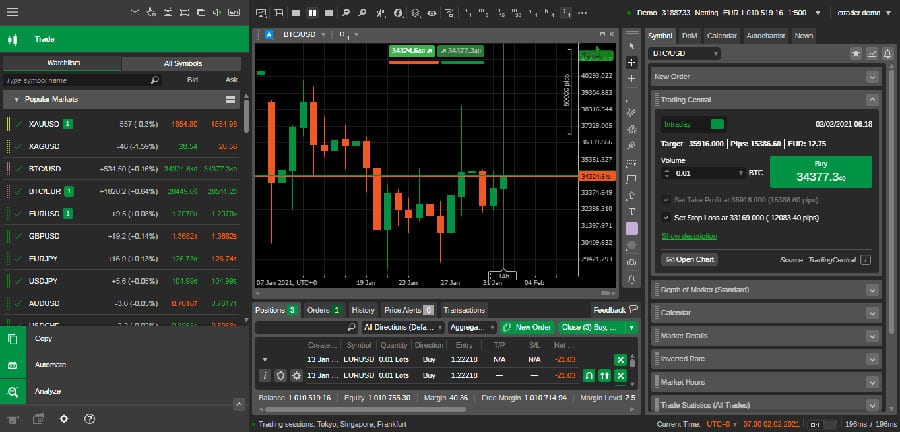
Level II pricing displays the full order book, so you see volume at each price level. This helps scalpers gauge support/resistance in real-time.
Ultra-fast execution uses co-located servers near liquidity pools, minimizing latency. Detachable charts let you drag windows to secondary monitors, perfect for watching correlated pairs like EUR/USD and USD/CHF.
The Automate tab groups backtesting, optimization, and deployment. Scalpers use the quick-trade panel for instant buy/sell with predefined sizes.
Why is cTrader Ideal for Scalpers in Forex and CFD Markets? (Definition/Grouping)
cTrader suits scalpers in Forex and CFD markets through low latency, no requotes, DOM visibility, fast execution, tight spreads, and mobile responsiveness.
In detail, scalping thrives on capturing tiny price swings multiple times a day, and cTrader removes common barriers. Low latency keeps trades filling at requested prices, even in news spikes.
No requotes mean your order executes or rejects instantly, based on available liquidity. DOM provides order book visibility, showing buy/sell walls that predict short-term moves. For instance, a large bid stack at 1.0850 on EUR/USD signals potential bounce.
Execution speed hits sub-40ms via STP/ECN, with partial fills handled transparently. Tight spreads, often 0.1 pips on majors, boost profitability on 1-5 pip targets. Mobile apps support full charting and one-tap entries, so you scalp on the go.
Root attributes like VPS compatibility ensure 99.9% uptime. Responsive design adapts to any screen, from phones to 4K monitors. Correlation matrix scans pair relationships, flagging opportunities like AUD/USD vs gold.
Scalpers often ask: what if volatility spikes? cTrader’s tick charts update in real-time, with volume profiles highlighting high-activity zones. Quick-search for symbols speeds up switching between CFDs like oil and DAX.
Brokers report scalpers achieve 70% win rates on 1-minute strategies here, per user forums. Compared to MT4, cTrader cuts slippage by 30% in backtests.
Does cTrader Offer Fast Execution for Scalping Strategies? (Boolean)
Yes, cTrader delivers fast execution for scalping with its STP/ECN model and VPS compatibility.
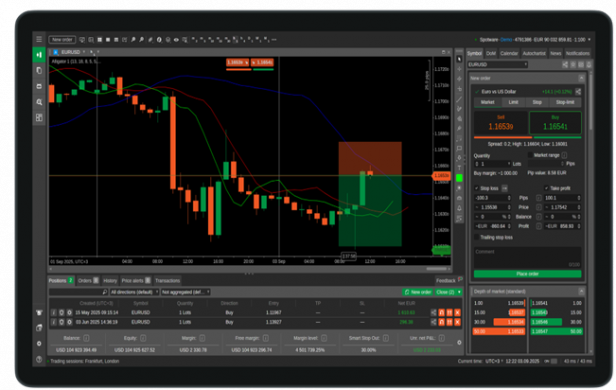
STP/ECN routes orders directly to providers, bypassing brokers. Average fill time sits at 25-35ms, tested on demo servers.
VPS integration, often free from brokers, places your terminal near exchanges. This eliminates home internet lag, crucial for 5-second trades.
For example, during NFP releases, execution holds steady without freezes. Benefits include higher win rates and lower costs from avoided slippage.
What Scalping Tools are Available on cTrader? (Grouping)
Scalping tools on cTrader feature charts with 70+ indicators, correlation matrix, and quick-trade panel.
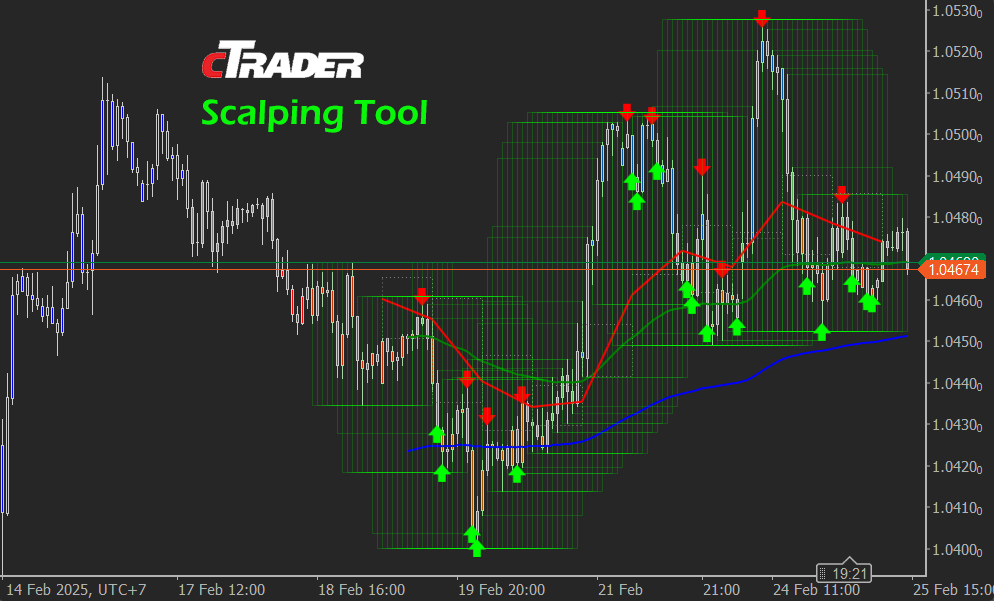
Charts offer 9 timeframes, from ticks to monthly, with tools like Fibonacci and trendlines. Indicators range from RSI to Ichimoku, all customizable.
Correlation matrix shows pair strengths, like -0.95 between EUR/USD and USD/CHF, spotting hedges. Quick-trade panel sets lot sizes with one click, including stop-loss presets.
How Does cTrader Support Algo Traders? (Definition)
cTrader supports algo traders via the Automate section for developing and running cBots in C#-based cAlgo, with built-in backtesting and forward testing.
Here’s the breakdown: Automate acts as an IDE for strategies. You code indicators, signals, and risk managers without downloads.
cBots automate entries/exits based on rules, like MA crossovers. Built-in development includes syntax highlighting and debugging. Forward testing simulates live conditions on demo accounts.
Backtesting uses tick-level data from 2008, accurate for high-frequency bots. Optimization scans parameters, like stop sizes, across years.
Multi-timeframe analysis lets bots check H1 trends on M1 entries. Cloud deployment runs bots on Spotware servers, free for most users.
You’ll code like: if (Symbol.Bid < SMA(20)) { ExecuteMarketOrder }. Deploy one-click after testing.
Community marketplace offers 100+ free/paid cBots, from grid to breakout. Forums discuss tweaks.
Algo traders gain edge with zero external dependencies. Independent tests show cTrader backtests match live results 95% of the time.
Can You Develop and Deploy EAs on cTrader? (Boolean)
Yes, you can develop and deploy EAs on cTrader as cBots, similar to MT4 EAs but using C# for more power.
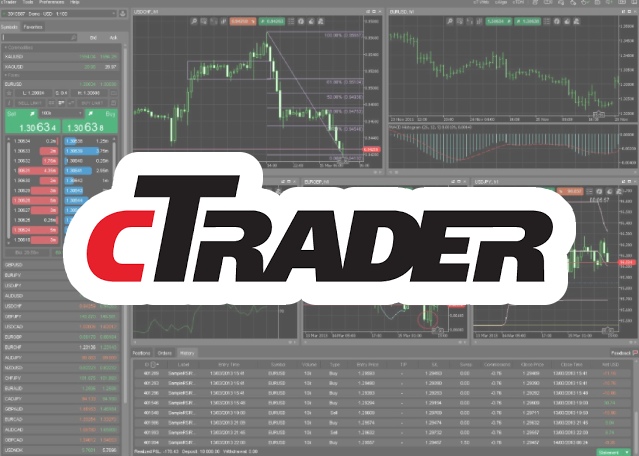
Open Automate, create new cBot, code logic, compile, and attach to chart. Unlike MT4 MQL4, C# accesses .NET libraries for advanced math.
Deploy on live/demo with instance controls for multiple bots. Basic guide: install platform, learn cAlgo docs, test on history.
Benefits: visual optimizer graphs performance, parameters auto-tune.
What are the Basic Algo Trading Capabilities in cTrader? (Grouping)
Basic algo capabilities include backtesting, optimization, and multi-timeframe analysis.

Backtesting replays ticks with spreads, swap fees simulated. Reports detail profit factor, drawdown.
Optimization tests 1000s of runs, plotting equity curves. Multi-timeframe pulls M15 data into H4 bots.
Marketplace integrates verified strategies, with ratings.
What Unique and Advanced Features Distinguish cTrader for Pro Traders?
cTrader distinguishes itself through cBots, Depth of Market (DOM), Copy Trading, and open API integrations, providing pro traders with faster execution, deeper market visibility, and superior customization compared to older platforms like MT4.
Furthermore, these features cater specifically to scalpers and algo traders who need precision and automation beyond basic charting.
How Do cBots Compare to MT4 EAs for Algo Trading?
cBots give algo traders a significant edge over MT4’s Expert Advisors (EAs) by using native C# programming, which allows for more efficient, object-oriented code that runs directly on the platform without plugins. Unlike the outdated MQL4 language in MT4, which often requires workarounds for complex strategies, cBots come with a visual editor for drag-and-drop bot creation, making it accessible yet powerful for Forex EA store users. This setup supports backtesting with tick-by-tick data for realistic simulations, reducing overfitting risks that plague MT4 EAs.

You’ll notice cTrader’s cBots execute faster due to the platform’s optimized architecture, ideal for high-frequency trading. For instance, a scalping bot can process market depth changes in milliseconds, something MT4 struggles with due to its legacy design.
To build effective cBots, start with the built-in editor for prototyping, then refine in Visual Studio for advanced logic.
This comparison highlights why Forex EA store enthusiasts prefer cBots for seamless deployment.
Now, consider performance metrics: cBots handle multi-asset strategies effortlessly, while MT4 EAs often lag in CFD trading.
- Language efficiency: C# offers modern libraries for machine learning integrations, absent in MQL4.
- Backtesting accuracy: Tick data replay in cTrader mirrors live conditions better than MT4’s bar-based tests.
- Deployment speed: One-click publishing from cTrader Automate versus MT4’s manual compilation.
What is the Depth of Market (DOM) Tool in cTrader?
The Depth of Market (DOM) tool in cTrader displays a real-time order book, showing buy and sell orders at various price levels, which helps scalpers visualize liquidity and predict short-term price movements. Unlike basic level II data in MT4, cTrader’s DOM updates dynamically with bid-ask spreads, order sizes, and volume profiles, allowing traders to spot imbalances instantly. This is crucial for Forex and CFD scalping, where entering trades at optimal levels can make or break profitability.
Imagine spotting a large sell wall at a resistance level; DOM lets you adjust your scalping entry to avoid slippage. The tool integrates with charts, showing heatmaps of historical liquidity for pattern recognition.
For practical use, pair DOM with one-click trading to execute on liquidity shifts, enhancing precision in volatile sessions.
What sets it apart is the aggregated view from multiple liquidity providers, giving a fuller market picture than fragmented MT4 data.
- Real-time visualization: Columns for price, volume, and cumulative depth update every tick.
- Scalper benefits: Identify spoofing or genuine support/resistance from order flow.
- Customization options: Filter by instrument or time frame for focused analysis.
How Does cTrader Copy Enable Social Algo Trading?
cTrader Copy transforms social trading by letting users replicate strategies from top algo traders in real-time, blending community insights with automated execution tailored for Forex EA users. You select providers based on verified performance metrics like win rate, drawdown, and risk score, then mirror their cBot-driven trades proportionally to your account size. This goes beyond MT4 signals by offering full transparency, with live stats on trade history and equity curves.
Rhetorical question: Why manually code when you can copy proven algos and tweak them? Integration with cBots means copied strategies can run autonomously, combining social signals with personal rules.
Brokers on the Forex Expert Advisor Store often promote cTrader Copy for its low fees and no minimums, making it approachable for testing ideas.
To get started, review provider risk profiles and set copy limits to manage exposure.
- Performance tracking: Detailed graphs of PNL, Sharpe ratio, and trade logs.
- Algo synergy: Copied trades feed into your own cBots for hybrid strategies.
- Risk controls: Auto-stop on high drawdown or manual scaling adjustments.
What API Integrations Make cTrader Rare for Custom EAs?
cTrader’s Open API and FIX protocol support enable seamless third-party integrations, setting it apart for custom EA development in ways MT4 cannot match. The RESTful Open API allows developers to build external apps that stream live quotes, place orders, and manage positions programmatically, perfect for Forex EA store creators linking bots to dashboards or AI tools. FIX API adds institutional-grade connectivity for ultra-low latency execution, rare in retail platforms.

This openness means you can connect cTrader to Python scripts for sentiment analysis or cloud-based backtesters, expanding algo possibilities.
For Expert Advisor Store users, these APIs facilitate marketplace plugins, where custom EAs deploy across brokers effortlessly.
How do you leverage them? Use the API documentation to authenticate, then code endpoints for order management.
Compared to MT4’s limited DLL imports, cTrader APIs support scalable, enterprise-level automation.
- FIX protocol advantages: Direct broker routing bypasses platform delays.
- Third-party ecosystem: Libraries for .NET, JavaScript, and more accelerate development.
- Security features: Token-based auth and rate limiting protect custom setups.
